


Building a custom content management system (CMS) gives you control and room to grow. This article shows you how to build a CMS from idea to launch.
You’ll plan, design, build, test, and deploy custom features with clear costs and team roles. We’ll weigh multiple factors so you can run your own content management system with confidence.
Building a CMS from scratch can be complex, but starting with the right platform makes the process smoother and more approachable. Website builders allow you to manage content, structure pages, and control your site’s design without writing code. Explore our recommended website builders to launch a flexible, user-friendly website quickly and confidently.
Create a Powerful Website Without Coding Using the Best Builders
| Provider | User Rating | Recommended For | |
|---|---|---|---|
 | 4.6 | Beginners | Visit Hostinger |
 | 4.4 | Pricing | Visit IONOS |
 | 4.2 | Design | Visit Squarespace |
What is a Content Management System (CMS) and Why Build Your Own?
A content management system (CMS) lets you create, edit, and publish digital content without writing HTML code. Think of it as your workspace where writers use content authoring tools and admins manage content management workflows.
Many start with WordPress or similar platforms. But as your business needs grow, your own CMS built through a proper cms development process gives you control and flexibility.

The Core Benefits of Custom CMS Development

- Personalized Functionality: With a custom CMS, you pick the features that match your business needs. You won’t waste money on extra tools. A proprietary CMS keeps the focus on what matters to your team.
- User-Friendly Experience: A clean user interface makes content editing simple. Your editors see only what they need, with a clear editing interface instead of endless menus. That means faster work and less confusion.
- Enhanced Scalability: Good CMS development lets your system grow as you grow. Add new content types, expand markets, and support more users without starting over. Your platform stays ready for tomorrow.
- Optimized Security & Compliance: Custom content management includes safeguards from the start. You can meet GDPR, HIPAA, or other rules right away. This keeps your content management workflows safe and avoids costly fixes later.

The 8-Step CMS Development Process: A Complete Roadmap
Learning how to build a CMS from scratch follows a structured process. This roadmap breaks down the journey into eight manageable stages.
1. Define Your CMS Concept and Requirements (1–2 Weeks)
Analyze Needs. Start by spotting your main content management problems. Maybe publishing takes too long, or new content types are hard to support. Write down the daily pain points, like editors wasting hours on formatting or teams struggling with drafts.
Identify Users. Next, figure out who will use the CMS. It could be for authors, editors, or marketers. Talk to these users and capture their needs, skills, and content management workflows. Build simple personas to guide design.

Specify Features. Focus on must-haves first. Think CMS editor tools, digital content handling, or third-party integrations. Keep advanced features for later.
Create a Project Scope. Draft a clear spec that maps your CMS development plan. This becomes the guide for developers, helping you build a CMS without scope creep or budget waste.
2. Plan Your Custom CMS Development (3–4 Weeks)
Choose an Implementation Approach. You’ll need to decide if you want a custom CMS or a platform-based option. Building from scratch gives full control but takes more time and developers. Customizing a platform moves faster, but limits future advanced features.
Design the Business Logic. Map out workflows, content types, and permissions. Think about how you’ll manage content, from content creation to approval, publishing, and deletion. Who signs off at each stage? When are alerts or notifications sent?
Plan Integrations. Your CMS won’t run alone. List the third-party integrations you’ll need, like CRM, PIM, or marketing automation tools. Make sure APIs connect your systems so data moves smoothly.

Create a Project Plan. Break down work into clear tasks. Define the tech stack, timelines, and team roles. Add milestones, assign ownership, and set KPIs to track progress.
3. Architect Content and Design the User Experience (2–3 Weeks)
Develop User Personas. Start by mapping detailed profiles of your target CMS users. Are they developers working with code, or content creators managing digital content? A marketing manager often needs marketing automation tools, while an engineer looks for programming languages and technical options.
Design Information Architecture. Plan how content types will be structured. Use clear categorization, tagging, and content storage to make search simple. Think about navigation and what metadata supports quick access.

Build a Prototype. Test usability early with a working model. Even simple wireframes highlight user interface issues that you won’t see on paper. UX design principles guide these decisions. This stage keeps CMS development on track and avoids costly changes later.
4. The Core of CMS Development: Building Your System (2–6 Months)
Back-End Development is where you build a CMS that runs smoothly behind the scenes. You’ll write the server-side code, set up APIs, and choose the right database for storing content. Small projects might get by with a simple file like .json.
But in most CMS development projects, you’ll need a scalable database that supports many users. You also need one that handles large amounts of data at once. Picking your stack is important.
Popular programming languages include JavaScript, Python, PHP, and Ruby. Each has strengths. JavaScript with Node.js allows full-stack web development, while Python shines with data-heavy tasks.

Front-End Development is the part that your users will see every day. The goal is to create a user-friendly interface that makes tasks simple and reduces clicks. Frameworks like React, Vue.js, or Angular help you build responsive layouts that work across devices. Plan for desktop, tablets, and mobile from the start.
Integrate a Rich Text Editor. Your content team needs a smooth editor. Tools like TinyMCE add a wysiwyg editor so writers can focus on words, not HTML. In React, you can install it with @tinymce/tinymce-react. This step makes content creation faster and easier.
You can extend your CMS with free plugins. Think of add-ons for emojis, auto-linking, or code samples. These save time and cut down on custom development work.

For bigger content management needs, premium plugins add advanced tools. Examples include a link checker, an accessibility checker, or even an AI Assistant. These features improve quality and speed for your content team.
In larger projects, expect both frontend and backend developers to work together. In smaller builds, full-stack web developers may cover both sides. To keep your custom CMS stable, follow best practices like version control and automated testing.

Namecheap
5. Ensuring Quality: How to Conduct Testing & QA (30% of Project Time)

Create a Test Plan. Start by outlining clear test scenarios for functional, performance, usability, and security checks. Skipping this step is risky. Thorough planning prevents bugs in production and protects your CMS from common threats.
Choose a Testing Approach. Use manual testing for the interface and overall user feel. For repetitive tasks like regression or API checks, automated scripts save time. Both methods matter in CMS development.

Run QA in Parallel. Don’t wait until coding ends. Developers should conduct testing alongside building to catch problems early. Continuous QA keeps your content management project on track.
Retest After Fixes. Once issues are resolved, rerun the tests. Regression testing ensures new fixes don’t break existing code or features.
Security testing also deserves attention. A strong plan protects users’ data in any custom CMS. Follow established security guidelines to protect against common vulnerabilities like SQL injection and cross-site scripting attacks.
6. Managing the Data Migration Process (5-25 Days)

Extract and Transform Data. You’ll pull content, metadata, and user information from old systems. This step matters because data often sits in formats that don’t match your new CMS. Careful planning makes the transfer smoother.
Clean and Format Data. Remove duplicates, errors, and outdated files before reshaping everything for the new content management setup. Each system stores various content types differently, so expect some challenges with structure.
Perform a Phased Migration. Move users’ data in smaller groups, ideally after hours, to reduce downtime. Test each batch before the next. Always keep backups so you can roll back if needed.
7. The Go-Live Phase: CMS Rollout and User Training (3 weeks–2 months)
Deploy the Solution. Set up the production environment, configure backups, and roll out the CMS. Pick reliable hosting that supports traffic spikes and offers solid uptime. If you’re learning how to build a CMS, this step ensures your business needs are met from day one.
Conduct User Acceptance Testing (UAT). Real users should try the system with different test scenarios. They often spot issues missed in technical checks. Always conduct testing to confirm the platform works as expected before launch.

Conduct User Training. Host structured training sessions to help your team master the new interface. Even a user-friendly design needs guidance. Record sessions for later and give people options. Some prefer live demos, while others learn best with written guides.
8. After-Launch: CMS Support and Maintenance
Provide Ongoing Support. Set up a clear system for feedback and fast fixes. Use L1–L3 support with defined escalation steps. This way, users always know where to go for help.
Monitor Performance. Keep track of uptime, page load speed, and capacity. The right tools let you catch issues before they hurt performance.
Perform Regular Assessments. Run security and compliance checks often. Update patches to protect data and stay ahead of evolving threats.

Plan for Upgrades. As your business grows, add new plugins or add-ons. A custom CMS should evolve with changing needs. So, plan upgrades around feedback from users and developers.
How Much Does it Cost to Build a CMS?
The cost of CMS development depends on complexity and team size. A small custom CMS may need 3–4 developers.
In contrast, enterprise content management solutions often require 8–12 specialists. These specialists include designers, testers, and project leads working in parallel.
Estimated Costs by CMS Complexity
| CMS Complexity Level | Cost Estimate | Key Features |
| Basic CMS | $20,000–$50,000 | Content authoring tools, customizable templates, notifications, and basic analytics. |
| Advanced CMS | $70,000–$100,000 | Custom workflows for content approval, third-party integrations (e.g., CRM, e-commerce), and marketing automation. |
| Complex Enterprise CMS | $150,000–$400,000+ | AI-driven content personalization, multisite and multilanguage support, and mobile access for content management. |
These estimates include development, testing, deployment, and initial training. Ongoing maintenance typically costs 15-20% of the initial development budget annually.
Geographic location affects pricing significantly. Developers in major metropolitan areas command higher rates than those in smaller cities or offshore locations.

Integrating Your CMS for Maximum Content Delivery
A content management system (CMS) lets you organize and update your digital content. However, you still need a front-end to show it to your audience.
Many teams now use a headless CMS, which separates content management from presentation. This setup means you can push the same material to websites or even mobile devices through a content management API.
Your developers handle the frontend development. That means they pull content with API calls and build custom displays. If you want something simple, use the best website builders with a user-friendly interface. Tools like Hostinger or IONOS can get you started fast.

You drag, drop, and publish without touching HTML or JavaScript. But for more complex sites, a custom CMS gives you control and flexibility. It supports content editing capabilities and the ability to efficiently create workflows that fit your business needs.
Hosting matters too. Choosing the best web hosting provider ensures visitors always reach your content. Adding a content delivery network (CDN) speeds things up for global audiences by caching web content closer to them. That’s how you keep page load times low and user experience smooth.

CMS setups also depend on strong tools. A good CMS editor with a wysiwyg editor makes content editing easy for non-technical staff. At the same time, developers can dive into software engineering tasks to extend the system with plugins.
Here’s a quick code snippet that shows how to deliver content through an API:
app.get(‘/api/content/:id’, (req, res) => {
// Retrieve content by ID
const content = getContentById(req.params.id);
res.json(content);
});
The following command is a simple way to connect your CMS development with your front-end apps. The above code proves how a flexible CMS can adapt to different content types and channels.
Essential Features Every Custom CMS Should Include
Below are some important features for a custom CMS:
- Content Editing Capabilities: A custom CMS should let you work with text, images, videos, and documents. Rich editing tools make it easy to create professional content without programming languages.
- User Management: Role-based permissions give your team control. Writers, editors, and publishers each need the right access. This will help you to keep the site’s content secure and accurate.
- Workflow Management: Approval steps make sure content goes through the right channels before going live. This keeps errors low and quality high.
- Version Control: Track every change over time. If a mistake happens, you can roll back to an older version without losing important data.
- Search Functionality: Strong search tools help users find pages, tags, or categories fast. Metadata filters make navigation simple.
- Media Management: Upload, store, and optimize files with ease. Features like auto-compression and responsive sizing improve performance.
- SEO Tools: Built-in options for titles, descriptions, and more help boost visibility in search engines. These tools support better rankings from day one.
- Analytics Integration: Connect your CMS to platforms like Google Analytics. Track engagement and get deeper insights into how your content performs.


Plan these features early when you build a CMS. Doing so ensures your solution fits your content delivery goals from the start.

Choosing the Right Technology Stack

Here are some considerations for choosing the right tech stack when building a custom CMS:
- Programming Languages: JavaScript stays popular for full-stack work on the frontend and backend. Python shines for content handling and analysis. PHP remains handy for hosting. Start with your project goals and a step-by-step guide so that your choices make sense.
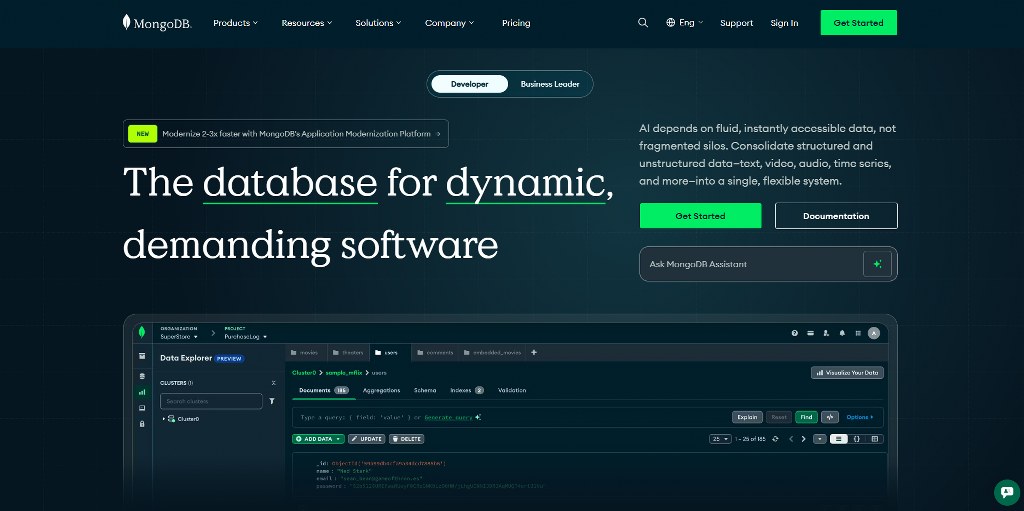
- Database Options: PostgreSQL suits complex relationships. MySQL is stable and widely hosted. MongoDB fits fast-changing structures. Multiple factors matter when you choose.
- Frontend Frameworks: React builds UIs. Vue.js fits small teams. Angular suits big apps. Test ideas with a code snippet or a new file.
- Backend Frameworks: Express.js speeds APIs. Django adds admin and security. Laravel offers syntax and docs. For demonstration purposes, wire a modal dialog and test performance.

Use this to learn how to build a CMS or scale into an advanced CMS.
Content Management Workflows That Drive Productivity
Content management workflows keep your team moving from idea to published content without delays. They help you plan, spot bottlenecks, and work smarter with the right tools.
- Creation Phase: Writers need quiet spaces with autosave and collaboration features. Version control avoids lost work and lets many people work together.
- Review Process: Editors need comments, approvals, and alerts. Clear status markers show progress at each step.
- Publishing Controls: Use scheduling tools to post at the best times. Preview modes show how a blog post will look before it goes live.
- Post-Publication Management: Give teams tools to update content, redirect old links, and manage archives. Analytics show which posts perform best and need promotion.

Testing Strategies for Custom CMS Projects
Perform the following tests before launching your custom CMS:
Functional Testing: Check that every feature works as written in your requirements. Test each button, form, and workflow path. This step makes sure your custom CMSs deliver what you planned.
Performance Testing: Push your system under heavy load. Track response times and confirm it can handle peak usage without slowdowns or crashes.
Security Testing: Scan for weak spots like injection attacks or data leaks. Regular checks protect valuable data and keep users safe.
Usability Testing: Watch real people use your CMS. Time how long common tasks take and note where they get stuck. Good usability supports user training and smoother adoption.
Browser Compatibility: Test your CMS across Chrome, Firefox, Safari, and Edge. A consistent experience matters.
Mobile Responsiveness: Make sure your editing tools work on tablets and phones. Content teams often update pages or upload a file on the go.

Always create scenarios that reflect real-world use. Don’t forget edge cases like very large files or managing thousands of items.
Planning for Future Growth and Scalability

Your first CMS release should solve today’s content management needs but also leave room to grow. Good planning saves you from expensive rebuilds later.
- Modular Design: Build features as independent pieces. You can update or replace one without breaking the rest. This makes upkeep easier and allows gradual changes.
- API-First Development: Strong APIs support current interfaces and unlock future options. Mobile apps, third-party tools, and advanced analytics all rely on well-designed API layers.
- Scalable Infrastructure: Pick the best web hosting that grows with your site traffic and content. Cloud platforms adjust to demand and keep content delivery smooth.
- Plugin Architecture: Design a system that accepts add-ons. Plugins let you add custom features without touching core code.
- Data Migration Planning: Clean, structured data is easier to move. Plan ahead so future transfers to new systems or formats are seamless.

Common Pitfalls and How to Avoid Them
Consider some common pitfalls in CMS development and how to avoid them:
- Scope Creep: Stick to your project plan. Don’t add new features unless they’re critical. Keep requests documented for future updates instead of expanding now.
- Insufficient Testing: Skipping QA is costly. Give enough time and resources for testing so users don’t face bugs and frustration after launch.
- Ignoring User Feedback: Involve real creators early. Their input ensures your CMS works in practice, not just on paper.
- Over-Engineering: Don’t get lost in complex builds. Solve problems simply and keep your CMS technology focused on actual needs.
- Poor Documentation: Good guides matter. They help developers, admins, and users, and cut down on support tickets. Always conduct user training when you can.
- Inadequate Security: Bake in security from day one. Retrofits leave holes and cost more later.
- Vendor Lock-In: Choose flexible tools. Avoid formats or plugins that make it hard to switch. Keep data portable for long-term freedom.
Conclusion
Building a custom CMS takes effort, but the payoff is full control of your content. When you know how to build a CMS, each step feels clear. Follow a process that fits your project goals, and you’ll create an advanced CMS that grows with you.
Need to optimize your custom CMS? Check out our 8 expert-picked best CMS hosting providers.

Next Steps: What Now?
You’ve got the end-to-end roadmap for building a CMS. Here’s how to put it into action:
- Lock the scope.
- Pick your stack.
- Prototype UX.
- Build the core.
- Harden the quality.
- Plan migration.
- Train & launch.
Further Reading & Useful Resources
To sharpen your website-building skills, check out these quick reads:
- Best No-Code App Builders: Build apps without coding.
- Create an AI Chatbot: Add smart chatbots to your site.
- Blog vs. Website: Know the key differences.
- How to Write Alt Text: Improve accessibility and SEO.
- AI-Based A/B Testing on WordPress: Test and optimize your site with AI.


