


Learning how to make a real estate website means understanding how to market and attract the right clients.
While the real estate industry is always buzzing with new properties, having an online presence is crucial for agents and property owners. It helps you build trust and close deals.
In this guide, we’ll be exploring all you need to know about building a real estate website, plus tips to set you apart from competitors.
A professional real estate website helps you showcase listings, attract leads, and grow your brand in a competitive market. Check out our recommended website builders to easily create a powerful real estate site with all the features you need—no coding required.
Top Website Builders to Create a Stunning Real Estate Website
| Provider | User Rating | Recommended For | |
|---|---|---|---|
 | 4.6 | Beginners | Visit Hostinger |
 | 4.4 | Pricing | Visit IONOS |
 | 4.2 | Design | Visit Squarespace |
Step 1: Get Your Domain and Hosting
Your domain name is your online identity. It’s the first thing potential clients see, so make it memorable and relevant to your business.
Think of it as your digital storefront. If your name is John Smith and you’re a real estate agent in Atlanta, a name like JohnSmithAtlanta.com is perfect. Other options like JohnSmithRealEstate.com or AtlantaHomesByJohnSmith.com work too.
Adding real estate related keywords to your domain can help with search engine visibility. Keywords like “real estate,” “homes,” or “property” are what people search online. Including them makes it easier for visitors to find you.

Stuck? Try a domain name generator. These tools help you come up with new ideas. Many are free and easy to use, making them a great way to get inspiration.
Choosing the right domain name is a big part of building your real estate website. Make sure it reflects your business and grabs the attention of website visitors.
To choose the right domain name for your website, ensure that:
- It’s short, simple, and easy to remember;
- Flexible and scalable for future purposes;
- Fits your brand identity;
- It’s available and free from legal issues, etc.
Pick a Good Hosting

Once you’ve chosen a domain name, the next step is to choose reliable web hosting. Hosting keeps your real estate website online and available 24/7. Take the time to find one that fits your needs.
Look at these key factors:
- Reliability: Choose a hosting provider with at least 99.9% uptime.
- Speed: Fast loading speeds improve user experience and search engine rankings.
- Security: Good hosting includes SSL certificates and malware protection.
- Customer Support: Choose a provider with 24/7 support.
- Pricing: Find one that fits your budget without sacrificing key features.

Take your time comparing hosting options. Read reviews from real estate agents, check features and think about what your site needs most. By choosing the right hosting you’re setting a solid foundation for your professional real estate website.

Step 2: Choose a Template
Consider the overall look and feel you want for your website. Do you like modern and sleek or traditional?
When choosing a website template, who is your target audience? Who do you want to attract? Then choose a design that will appeal to them.
Next, focus on the core features your real estate website needs, like contact forms, property listings, or advanced search filtering. Make sure the template is customizable so it matches your brand.
Finally, choose a responsive design. Many users view sites on mobile, so your real estate website needs to be seamless on every device.

WordPress has many real estate website templates. Pick one that fits your brand and start customizing.
Step 3: Design Your Real Estate Website
Real estate is a visual industry. While it’s important to showcase properties and generate leads, you also want to create a beautiful and user-friendly experience that encourages visitors to dig deeper.
When you build a real estate website, the goal is to transform your real estate business. A good-looking site grabs attention and pulls in more website visitors. A simple and user-friendly layout keeps them around longer.
Showcasing your property listings with high-quality images and details attracts potential buyers. This generates more leads and turns visitors into clients. In the end, a professional real estate website is key to closing deals and growing your business.
Elements of a Well-designed Real Estate Website
Your real estate website needs clear, simple, and easy-to-read content to grab attention fast. Use high-quality images to showcase your property listings and make an impact.
Make sure your site is easy to navigate so visitors can find what they need quickly and hassle-free.

A mobile friendly web design is a must since many potential clients browse on phones or tablets. It should look good and work smoothly on all devices. Add clear calls to action to guide visitors towards contacting you or scheduling a showing. Convert interest into leads easily.
Once you’ve chosen which website builder to use you can start selecting the right templates for your website design.
Here are some things to consider during your design phase:
1. Call to Action Buttons
Your call to action (CTA) buttons are what convert your website visitors into active clients. These buttons should be placed throughout your homepage and website, encouraging visitors to take the next step in their home buying journey.
Use strong action words like “Schedule a Showing” or “Contact us now” to drive action.
Place your CTA buttons where they’re easy to see. Keep the text simple and clear, no confusion about what to do next. Make them appealing to turn visitors into inquiries or bookings.

2. Simple Navigation
When designing your website, make sure it reflects your customers’ research process and makes it as easy as possible for them to find the information they need. Make sure your navigation bar is easy to find and use dropdown menus for subcategories to further simplify site navigation.

Tips for a User-Friendly Navigation Menu
Make your navigation menu clear and easy to use. Use concise labels that visitors can understand quickly. Organize the menu logically so it feels natural to navigate.
Use dropdown menus to group related items, making the real estate web page design more user-friendly. Add a breadcrumb trail to show visitors where they are on your site, so they can backtrack easily.
Test the menu with real users to make sure it works as intended. A well-designed menu enhances the user experience and keeps visitors around longer.
Did you know?
A breadcrumb trail is a secondary navigation feature that informs a website visitor of their current page location within the website’s structure. To learn more, explore on-page SEO tactics to optimize your website performance.

3. Mobile Friendly
A clean and easy-to-use mobile view makes browsing your own real estate website easy and fun.
Many busy clients searching for properties do so on their phones, so your site must look good on both mobile devices and desktops. When your website is mobile-friendly it’s easier to attract and keep website visitors.

This increases your reach, keeps clients engaged and ensures they stay longer to explore property listings.
Here are some tips for making your website mobile friendly:
- Use a responsive design. Auto adjust to any screen size.
- Use big font sizes. Text should be easy to read on small screens.
- Use simple navigation. Keep menus clean and user friendly for mobile users.
- Optimize your images. Compress images for faster mobile loading.
- Test your website on different devices. Make sure the website looks good and works on different mobile devices.
4. Social Media
Social media is a powerful tool in the real estate industry. Platforms like Facebook, Instagram, and TikTok help professionals reach a wider audience. Add a social media bar with clickable icons to your design. This allows visitors to easily find your social channels.
Try using trending songs or sounds in videos that showcase properties. These styles increase visibility. Add share buttons under your website’s content to encourage sharing.

Using the right hashtags connects your content to those searching for real estate marketplace information. Social media marketing helps your property management strategy stand out. It’s a key part of creating the best real estate website design that engages visitors and drives traffic.
Here are some tips for integrating social media into your real estate website:
- Add social media buttons to your website. This will allow visitors to share your content on social media.
- Embed social media feeds on your website. This will show visitors your latest social media posts.
- Run social media contests and giveaways. This is a great way to generate interest in your website and your business.
- Use social media advertising. Social media advertising can be a great way to reach a wider audience.
5. Logo
Your logo and real estate slogan are part of your real estate brand identity. It’s the first thing potential clients see—both online and in person—so it should look good and represent your real estate business.

Beyond your website and social media, imagine your logo on for sale signs. It adds a personal touch and strengthens your brand.
Creating a great logo is easy if you focus on the basics. Keep it simple and recognizable. Make it relevant to your real estate business and ensure it reflects your brand’s personality. Use colors that match your branding across your real estate website and marketing materials.
Ask friends or colleagues for feedback to improve your design. A good logo leaves a lasting impression on potential clients and boosts your real estate brand.
Check out our website building guide for more tips and insights.
Step 4: Add Properties and Visuals
Your real estate website is your online shop window where buyers browse properties.
To create a good real estate website showcase property listings with high quality images, videos, virtual tours and 3D viewings. These visuals help potential clients connect with the property and stay engaged.

Each property needs its own property page with detailed information like price, square footage, and features. Include maps and photos to highlight key points.
By giving interested buyers everything they need, you’ll keep them browsing longer and build trust. A well structured site shows your value and turns visitors into clients.
Property Page Elements
- Property photos: High resolution images of the property, interior, and exterior.
- Map with property marked: Embedded map showing the property location.
- Key details and attributes: Essential information like square footage, number of bedrooms and bathrooms, amenities, and special features.
- Listing agent: Contact details of the listing agent to provide a direct line of communication.
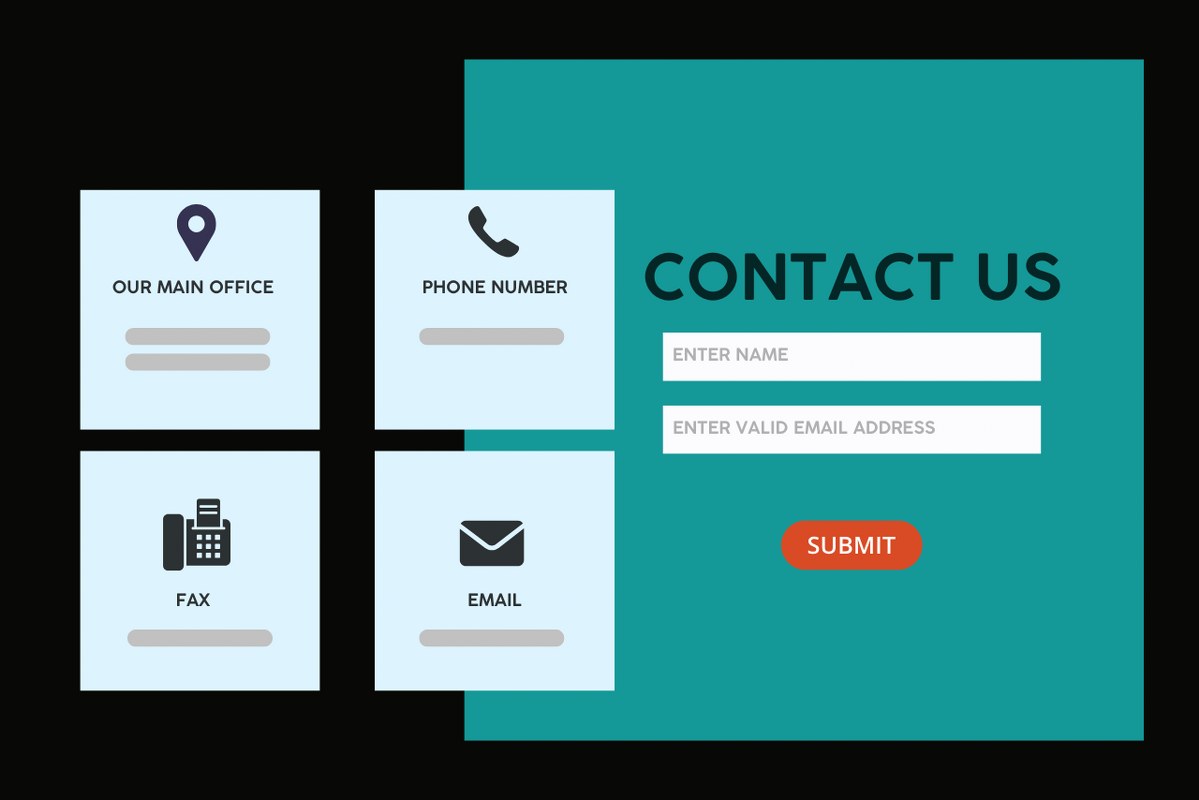
- Contact the property owner: Clear contact forms or buttons to contact for more information or to schedule a viewing.

Visuals are key to helping buyers make decisions, so focus on quality and presentation. 85% of home buyers say photos on property listing websites are very useful. Make sure your images meet size and resolution requirements by using a photo resizer.
Adding photos is the easiest way to showcase a property, but today’s technology offers even more. Tools like virtual tours, 3D models, and interactive features make properties stand out in the real estate market.

Advanced Visualization Options:
- 360° photography: Show the property from every angle. Works for interiors and street views, giving buyers a full view of the property.
- Virtual augmented reality: VR makes it feel like buyers are walking through the property in person. This tech creates an immersive, real-life experience for interested buyers.
- Video tours: Narrated tours, live or pre-recorded, give a detailed look at the property. Helps buyers imagine the layout and space of their future dream property.
- Drone footage: Aerial views provide a full view of the property and surroundings. Great for large homes or unique features.
- Interactive floor plans: Buyers can click through rooms and see the flow of the home. This makes layouts easy to understand and more engaging.

- Virtual staging: No need for physical furniture. This tool adds digital decor to photos so buyers can see how the space would look furnished.
- Interactive 3D models: These immersive experiences let buyers explore the property in detail. Like floor plans but more engaging, 3D models help buyers understand the dimensions and features of the home.


A good property management website should link to multiple listing service (MLS) data. This provides clear and up-to-date information about properties for sale.
Benefits of MLS Integration
MLSs are local databases that help sellers and property owners showcase their listings to many real estate agents. Adding MLS integration to your real estate site connects it to these databases, keeping your listings up to date and live.
Adding this to your real estate website is a game-changer. It gets your property listings in front of more potential buyers, giving you more exposure in the real estate market.
With MLS, your property details update automatically, saving you time and effort. Buyers also trust sites linked to MLS because they know the information is accurate.

For anyone building a property listing website, this is a must-have. It increases credibility, efficiency, and visibility to attract potential clients.
Step 5: Determine Key Real Estate Website Features
Once your website’s basic structure is ready, focus on features that set you apart. These should enhance the user experience and add value to your website visitors.
1. Advanced Search Filters
Advanced search filters help users narrow down property searches by specific needs. This is key for a real estate agency to make it easy for buyers to find homes quickly.
Think about the factors that influence a homebuyer’s decision:
Location: Allow users to search by city, neighborhood, zip code, or even draw a custom search area on a map.
Property type: Offer options to search by houses, condos, townhouses, apartments, land, and commercial properties.
Price range: Allow users to set a minimum and maximum price for their property search.
Bedrooms and bathrooms: Include filters for the number of bedrooms and bathrooms.
Size: Allow users to filter by square footage or acreage.
Features: Consider filters for features like pool, fireplace, garage, central air conditioning, and more.

Keywords: Allow users to search by keywords like “open floor plan” or “mountain view”.
The more filters you have, the happier your users will be with their search results.
2. Contact Forms and Live Chat
Make it easy for potential clients to reach you by adding contact forms and live chat to your agency website.
Place contact forms on important pages, like the homepage, property listings, and contact page. Keep the forms simple and quick to fill out. Live chat helps you offer instant support, answering questions in real time. This builds trust and can turn leads into clients.
Using visible forms and chat increases your chances of getting leads and closing deals in the competitive real estate market.

3. About Us Page
An “About Us” page is an important part of your real estate website. It helps build trust and makes a personal connection with potential clients.
Use this page to tell your story and highlight your expertise in the real estate industry.
Share your background, mission and values that guide your business. If you work with a team introduce them to add a personal touch. Include testimonials from happy clients and list clear contact information for easy communication.
A strong “About Us” page makes your agency website feel approachable and professional, helping you connect with your target audience on a deeper level.
4. Integration with Real Estate Portals
Show your property listings to more people by linking your real estate website to big platforms like Zillow, Realtor.com, and Trulia.
These sites help you reach a larger audience and find more buyers. Connecting with these real estate marketplaces makes it easier to get your properties noticed.

5. Property Valuation Tool
Add a property valuation tool to your real estate website. This feature gives visitors a quick estimate of their home’s value. It’s a great way to generate leads, especially from property owners thinking of selling. Many will contact you for a more detailed and accurate valuation of their property listing.
6. Mortgage Calculator
Add a mortgage calculator to your real estate website. It helps buyers figure out their monthly payments based on loan terms and interest rates. This easy tool makes it simpler for them to decide on their dream property and keeps them engaged with your site.
7. Neighborhood Guides
Add neighborhood guides to your real estate website to help users explore areas they like. Share information about schools, parks, shops, and local events.

Highlight the best amenities and community features. These guides are especially helpful for users moving to a new city and looking for their dream property.

6. Start a Real Estate Blog (Optional)
Starting a real estate blog isn’t required, but it’s a great way to stand out. It helps you share knowledge about the local market and boost your search engine rankings.
A blog builds trust with users by showing your expertise and making your real estate website more credible.
Here are some ideas for blog content:
- Market updates: Share market trends, housing prices, and inventory levels.
- Community profiles: Showcase neighborhoods and their features.
- Home buying and selling tips: Guide users through the process.
- Calculators: Include mortgage calculators and affordability calculators.
- Downloadable resources: Home-buying guides and seller checklists for users.
Post regularly. This brings more traffic to your site and boosts search engine rankings. It also builds your reputation as a trusted expert in the real estate industry.
7. Optimize for Local SEO
Local search engine optimization (SEO) helps your website show up in search results when users search for real estate services in your area.

Start by adding location-specific keywords—like your city, state, or neighborhood in content. Claim and update your Google My Business profile to keep your business information correct. Add your business to sites like Yelp, Yellow Pages, and local directories to build credibility.

Create location-based landing pages for each neighborhood you serve and write blog posts about local news or market trends. To improve even more, get backlinks from local websites or real estate agencies in your area.
These steps bring more users to your site, more traffic, and more potential clients. By focusing on local SEO, you’ll grow your business and stand out in your area’s real estate market.
5 Examples of Real Estate Websites
Now that you know how to build a real estate website, here are some examples to get you started:
Compass: Compass is a national real estate brokerage with a modern design. The website features high-quality property photos, advanced search filters, and a user-friendly layout. Compass also has a blog with market insights, so it’s a great resource.
Redfin: Using technology to redefine real estate transactions, Redfin is known for its detailed property listings, 3D tours, and data-driven insights. It also has tools like mortgage calculators and market trend reports.
Douglas Elliman: Douglas Elliman is a luxury real estate agency with a website tailored for high-end clients. This site only features listings with great photos, so high-end experiences for those looking for dream properties.

Corcoran: Corcoran, a leader in New York City’s real estate market, has a clean website. It focuses on luxury properties and has an intuitive user experience.
Sotheby’s International Realty: Sotheby’s International Realty is a global real estate brand. Its website features exclusive listings worldwide with high-quality photos and elegant design. It’s a professional website for discerning buyers.
Looking at these examples gives you ideas for your own website. Focus on what stands out to you. Add those to your website to create a strong, effective and unique online presence.
Conclusion
Building a real estate website takes time and effort.
Follow the steps in this guide to create a site that attracts leads, showcases your property listings and closes deals. Focus on high-quality property visuals, advanced search and easy design. Don’t forget local SEO to boost your online presence.
With the right approach your site will grow and attract more clients.

Next Steps: What Now?
- Local Marketing Strategies: Use location-based ads and partner with local businesses.
- Optimize for SEO: Use our real estate SEO guide to create area-specific pages and content.
- Start a Blog: Share market trends and property insights to drive traffic.
- Learn Website Design: Understand layouts, user experience, and visual design.
- Boost Engagement: Use social media tools to enhance online engagement.
Further Reading & Useful Resources
- How to Create a Website for Business
- CRM Hosting: How it Can Help Your Business
- Mobile Friendly Websites
- Tips For Mobile Friendly Website
- How to Build a Website from Scratch
- How to SEO Your Website
- WordPress SEO: Tips to Rank Now
- Google Search Console
- What are Marketing Channels
- Web Hosting vs Website Builder: What’s the Difference?
- How to Simplify Your Site
- What is a Website Template & How to Customize?


