


Creating a website for startup businesses is easier than you think. Without any coding skills, you can create a startup website to promote your business.
In this article, you’ll discover seven steps that will help you build a successful startup website. You’ll learn to define your goals, choose the best platform, and promote your website.
A strong website is critical for establishing your startup’s brand and attracting customers. Website builders make it easy to design a professional, responsive site without coding skills. Check out our recommended website builders to bring your startup online quickly and efficiently.
Launch Your Startup Website with These Top Builders
| Provider | User Rating | Recommended For | |
|---|---|---|---|
 | 4.6 | Beginners | Visit Hostinger |
 | 4.4 | Pricing | Visit IONOS |
 | 4.2 | Design | Visit Squarespace |
Step 1: Define Your Vision, Goals, and Target Audience
Just like clear paths are safer, having a clear purpose for your website is important. These clear purposes define how you’ll build your site.
Start by identifying what you need your startup website for. Will you sell products to people? Do you want to lead people to what you do? Do you need a community for your brand followers? Or do you want to share your story and helpful tips to show you’re an authority?

Understanding your main goal will guide you in building the right platform. You’ll know the key features to include and the right content approach.
Next is to identify your target audience. Once you define your site’s purpose, you need to know who you’re creating it for. By creating user personas, you’ll be able to understand your ideal audience.

Each user profile should include:
- Demographics: What are your potential customers’ ages, genders, locations, and languages they speak?
- Online habits: Which platform do they spend their time online? What device do they use? What makes them buy a product or service?
- Pain points: What challenges do they face, and what solution is your startup providing?
This information will guide your design decisions and how you create content.
Another important step is researching your competitors. Look at similar businesses and how they operate. Where are they doing well, and where do you think needs improvement? Look at their website. What’s their message? How do they interact with customers?
Focus on what you can do differently and better. Ensure your AI startup offers a unique and better value proposition. Ensure your website offers a better customer experience.
Researching your target audience and competitors helps your business provide value. And then, your website will become a powerful tool in communicating this value. It’ll also help customers find you faster.
Put down your goals, and what you learnt about your target audience and competitors. This document will help you create a website that matches your startup’s mission.
Step 2: Choose Your Platform and Secure Your Digital Identity

Your choice of platform and domain name will impact your website. You need a platform that matches your needs and budget. For the domain, choose one that fits your business and is easy to remember.
Selecting the Best Platform for Your Startup Website
The right platform will help you create the best startup website. It’ll help you meet your business and customers’ needs. Your choice of platform will also determine your long-term costs and functionality. Ensure you choose one that’ll grow with your business.
The best website builders offer good features for many startups, especially those without professional skills. They offer user-friendly interfaces, built-in templates, and hosting services that beginners can handle.
Hostinger and IONOS are great options you can choose from. They’re affordable and yet offer all the necessary features for startups and small businesses.
If you want to focus solely on selling, e-commerce platforms like Shopify work better. This platform provides efficient tools to manage your products, payments, and sales.

If you need complete control over your website design and operations, WordPress is ideal. This Content Management System (CMS) provides themes and plugins you can customize as you want. However, you’ll need more technical skills and your hosting service.
When choosing your platform, also consider your hosting provider. Using self-hosted WordPress will require you to select your web hosting. A reliable web hosting is important to keep your site online.
It guarantees security and optimum performance that’ll satisfy customers. Choose the best web hosting to ensure long-term success.
Website Builder Comparison for Startup Websites
Feature/Category | Hostinger (Implied) | IONOS
| Wix | Shopify | WordPress
|
| Best For | Beginners, All-in-one | Small Business | Larger Brands, Beginners | E-commerce | Full Control, Blogging
|
| Ease of Use | Drag & Drop | Drag & Drop | User-friendly, Drag & Drop | Drag & Drop | Difficult to learn |
| E-commerce | Yes | Yes | Yes | Built-in | Via plugins (WooCommerce) |
| AI Features | Yes | Yes | AI site creation & tools | AI tools | Via plugins |
| Starting Price | Competitive | $1/month (promo) | $17/month | $19/month | Varies (hosting cost) |
Securing Your Domain Name
Your domain name is part of your brand identity. It’s your online address that directs people to your website. Thus, you must choose a name that is easy to remember.
Something short, fun, and easy to spell will work. It must also reflect your company’s mission and offers.
Try out different ideas early when planning. Your startup name and relevant keywords can help you get it right. For instance, if your business name is Finecakes, Finecake.com can work. Including relevant keywords can also help your website’s ranking.
An average .com domain costs between $10 and $20 per year. This small investment can bring great value to your business. So ensure you pick with care.
There are over 368 million registered domain names in the world. This number means you need to be creative to choose something different and available. Try domain endings like .co, .io, or ones that match your industry to make it easier.
You can use any hosting provider to check if your domain name is available.

Namecheap
Step 3: Plan Your Site Structure and Essential Pages
Your sitemap is like a roadmap that shows visitors the way around your site. Your webpages will tell them more about your business and services.
Create a Logical Sitemap and Navigation
Organize your sitemap so search engines and visitors can understand your content.
Design your navigation bar to help visitors find what they want with three clicks or less. This standard ensures users browse your site with ease.

Your primary navigation should lead users to the most important pages. Then, you can make other content accessible through the footer or internal page links.
Put your most important content at the top of the page where people can see it without scrolling. This part should tell visitors what you do and guide their next step. Putting your value proposition and brief details about your services is a smart way to grab attention.
An important call-to-action, like “Subscribe,” can also work in this space. Once you create the right sitemap, you can turn visitors into customers through your site.
Include These Essential Pages on Your Website for a Startup
Your website pages are important to provide important information that’ll guide users’ behavior. Optimizing these pages can boost conversion.

Here are the important pages your site must have:
- Homepage: This page introduces visitors to your startup. It should tell them what you do, whom you serve, and why they should care. It should also lead them to the right next steps.
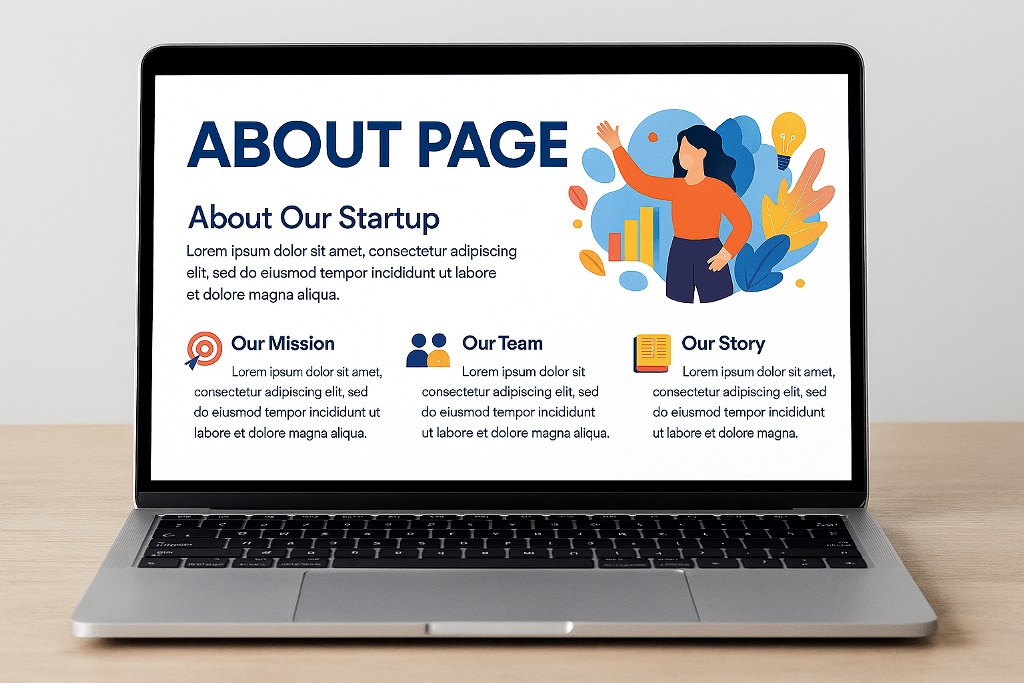
- About Page: This page shares your company’s story, mission, and values. Include details about your founders, your journey, and success stories.
- Products/Services Page: This page presents your offerings to visitors. Describe what your offer is, the benefits, and the price. Use high-quality visuals and clear words to help customers understand easily. State how each feature will improve customers’ lives to convince them to make a purchase or book a service.
- Contact Page: This page helps people reach you. Add a contact form, email address, phone number, and physical address if you have one. Add your operation hours and response times so visitors know what to expect.
- Legal Pages: This page helps protect your business and users’ rights. Include Privacy Policy, Terms of Service, and Cookie Consent notice. These documents help you follow rules like GDPR and CCPA.


Step 4: Design for Brand and User Experience
Your startup website design is another important part of your brand identity. It’s what potential customers see and decide whether to continue with you within seconds.
Research shows that 75% of users judge a company’s credibility based on its web design. Thus, design your site to attract customers and build trust.
Start by picking a template for your design. Many website builders provide design models you can customize for your startup. You can explore many options and pick the one that’ll suit your startup personality.
You can also browse through competitors’ websites for inspiration. When building, don’t just choose any color or font that catches your eye. You first need to understand how you want people to see your brand.
Once you define your brand personality, choose colors that align with it and resonate with your ideal audience.

Place your logo on the header of every page and in appropriate places across your site. This strategy helps with brand recognition. Also, add a favicon to remind users of your brand. It’s a tiny icon that shows in browser tabs and makes your site look more professional.
Your font style is another important design aspect. Choose readable fonts, and use the same type throughout your site.
Build for a good user experience at every step of the design process. Use a simple layout and navigation to help users find information easily. Your site should also guide visitors to take important actions for conversion.
Finally, ensure your design works well on different screen sizes. A good design helps users understand your value and take action.
Step 5: Develop High-Quality Content and Strong Calls to Action
High-quality content tells readers you’re an expert in your niche. Clear calls-to-action lead readers to take desired actions.
Creating Engaging Content
Provide clear, powerful, and relevant website content for your audience. Hire professional writers from freelance platforms like Fiverr if you’re not doing the writing.

Use catchy headlines, short paragraphs, and bullet points. This strategy helps users scan your content and still get valuable information.
Use different content types to encourage engagement and reduce bounce rates. A study shows that 87% of consumers buy a product or service after watching a video. This data shows how multimedia content can grab attention and boost sales.

Let people know what they’ll gain by purchasing your products or services. Share real customer success stories and case studies to showcase your value. Customers want to know that they are getting value for their money.
Maintain a consistent brand voice throughout your content. This consistency builds trust and helps with brand recognition.
Crafting Effective Calls to Action (CTAs)

A call to action tells visitors what to do on your startup website. It includes phrases like “Book a Consultation,” “Start for Free,” or “Download Our Guide.” The key is ensuring visitors take the desired steps that boost conversion.
Keep your CTA short and tell users what happens next when they click. Make sure the CTA is non-intrusive.
Place your CTAs in strategic places throughout your entire site. Every web page should include the next steps that offer value to visitors. But don’t place too many links on a page, as it reduces their effectiveness. It can overwhelm your readers.
Make sure your CTA buttons are large enough and look good on all devices.
Learn how to write effective calls to action to achieve the best result.

Step 6: Optimize for Search Engines (SEO) and Mobile Users
An SEO-optimized and mobile-friendly site can increase visibility.
Implementing Foundational SEO for Your Startup Website

Implementing SEO basic strategies can bring great results to your startup site. It shows your site is trustworthy and helps search engines rank it higher in search results. This scenario means more people can find out about your business.
Keyword optimization is one of the easiest and important steps to take. Research search terms your audience uses and add them to your site. They must appear on page titles, headings, and body content. Use location-based terms if your business serves certain places.
Describe images with alt text that include related keywords for people with visual problems. This step signals search engines that your website is valuable and helps more people access it.
Meta tags are another important aspect of your site that you need to improve. Write powerful but simple meta titles and descriptions for each page. People see these parts in search results and decide whether to visit your website. Keep them straight to the point.
Invest in effective tools like Ahrefs and Semrush to improve your site. You can use these apps to search for relevant keywords and study your competitors.

Ensuring Mobile Responsiveness
Mobile devices provide more than 64% of all web traffic, emphasizing the importance of a responsive design. Google also considers mobile-friendliness when ranking.
Make sure your startup site looks and works well on all smartphones and tablets. Text should be easy to read without zooming. Use buttons that fit mobile screens and ensure pages load fast.
Make sure navigation bars, forms, and contact details work well. Using a simple design technology can help your site work well on mobile devices.
Many website templates adapt to different screen sizes without needing more development. Still, check for mobile responsiveness to be sure.
Step 7: Test, Launch, and Promote Your New Website
The pre-launch test is an important step you must not miss. After going live, promoting your new site is important to get more people to find you.
Pre-Launch Testing Checklist
Thorough testing will help you experience the user journey and discover issues users might face. Then, you can fix them right away before launching.
Test every interactive element to ensure it works fine. Do links lead to the right page? Do buttons click all right? What about forms, search bars, and e-commerce features?

Customers interact with your brand through these elements. Bad links and other malfunctions can frustrate them and cause them to leave. Confirm that your contact details are accessible. You can submit data yourself to ensure you get the right response.
Check your content for accuracy. Are your stats still relevant? Errors can cause you to lose customers’ trust. Also, check for tone consistency across the site.
Many people access the internet through different browsers like Chrome and Safari. Ensure your site works across multiple browsers. Also, check that your website is compatible with different devices.
Test your site speed using free tools like Google PageSpeed Insights. Research shows that the probability of visitors leaving increases by 32% with page load time up to three seconds. So, optimize your pages to load under three seconds.

Post-Launch Promotion Strategy
Setting up your startup website is not where it ends. You need to tell people about your site to attract visitors.
Share your website on existing networks and social media platforms. Announce it to your email subscribers. Mention key features and special launch offers to create excitement. For email marketing, platforms like Kit (formerly ConvertKit) can help you create successful campaigns.
Maintain regular content updates to attract visitors and retain them. Share tips through blog articles and provide helpful materials. These resources help establish your authority and improve website rankings.
Check how your website is performing and how users behave. Do users complete actions? What causes them to abandon their journey halfway? These insights will show you areas you need to improve. Use Google Analytics to study page performance and users’ behavior.
Find partners to help you promote your website to their audiences. Working with other businesses and influencers will expand your market reach. This partnership will also help you attract more visitors during the early stages of launching.
Promotion is an ongoing process. Keep sharing valuable content, engaging with your readers, and improving performance. This commitment will attract more people to your website and help your startup grow.
Conclusion
With this article, you can now see that creating a successful website for startups is achievable. Start by defining your goals. Then pay attention to user experience throughout the creation process. Applying this strategy will help you create a platform that’ll help your business grow and attract investors.
As you promote your website, also market your brand to stand out and attract loyal customers.

Next Steps: What Now?
Follow these next steps to set up a successful startup website:
- Identify your goals and target audience.
- Choose your platform and domain name.
- Add essential pages and content.
- Test everything before launching.
Further Reading & Useful Resources
Learn more about building a successful website with these resources:
- How to Build an E-commerce Website: Learn the right steps to set up an e-commerce site.
- Marketing Techniques: Learn marketing techniques that’ll work for your team.
- Crafting an Effective Contact Form: Learn how to create a good contact form for your website.
- Start Up the Right Way: A complete guide to establishing successful startup innovation projects.
- Websites for Entrepreneurs: Learn from top website examples and concepts.


