


WordPress SEO is the process of optimizing your WordPress website to make it more visible on search engines. It involves strategies like using relevant keywords, improving website speed, making it mobile-friendly, and creating high-quality content.
When your website is easy to find and provides useful information, more people will visit it. This makes your website more popular on search engines, which means even more people can find it. So, WordPress SEO is important if you want your website to be successful.
Key Highlights
- WordPress SEO is the process of making your WordPress website easier to find by search engines
- General SEO focuses on optimizing websites across various platforms, while WordPress SEO specifically tailors optimization techniques for websites built on the WordPress platform
- WordPress SEO can get you more visitors, but it takes time and effort
- Knowing what WordPress SEO is is crucial because it helps more people find your website
What Is WordPress SEO?
WordPress SEO refers to the optimization techniques specifically tailored to websites built on the WordPress content management system (CMS), aimed at enhancing their visibility on search engines. This process includes strategies such as keyword optimization, improving website speed, and ensuring the site is mobile-responsive.
Think of WordPress SEO as setting up signs in a big city. As a web developer, you’re placing signs (making changes to your website) to guide people (Google) to your shop (your webpage) quickly.
Simply put, using WordPress SEO is like being a great city planner. It makes it easier for more people to find and visit your shop.
General SEO vs. WordPress SEO: What’s Different?
When working on your website’s online visibility, you’ll encounter two types of SEO: General SEO and WordPress SEO. While they share some similarities, it’s important to understand their differences.
General SEO
General SEO is a universal approach to improving a website’s visibility, regardless of how the website is built or what platform it’s hosted on. The principles of general SEO can be applied to any website and include strategies like:
- Using the right keywords
- Providing high-quality content
- Ensuring fast website load speeds
WordPress SEO
WordPress SEO is focused on websites that are specifically built using WordPress. It utilizes features and plugins that are exclusive to WordPress to further enhance SEO. The specifics of WordPress SEO include:
- Using WordPress SEO plugins
- Optimizing WordPress themes and settings for SEO
- Creating SEO-friendly URLs using WordPress permalink settings
Key Differences
Understanding the differences between General SEO and WordPress SEO can help you optimize your website more effectively. Here are the main points of difference:
Who Can Use It?
- General SEO is for all websites, no matter what they’re built with
- WordPress SEO is just for websites made using WordPress
What Do They Use?
- WordPress SEO makes use of special WordPress features and tools called WordPress plugins
- General SEO uses methods that work on any website, regardless of how it’s built
Who Can Do It?
- To use WordPress SEO, you need to know how to use WordPress and its features
- For General SEO, you don’t need any specific platform knowledge
Why Is WordPress SEO Important?
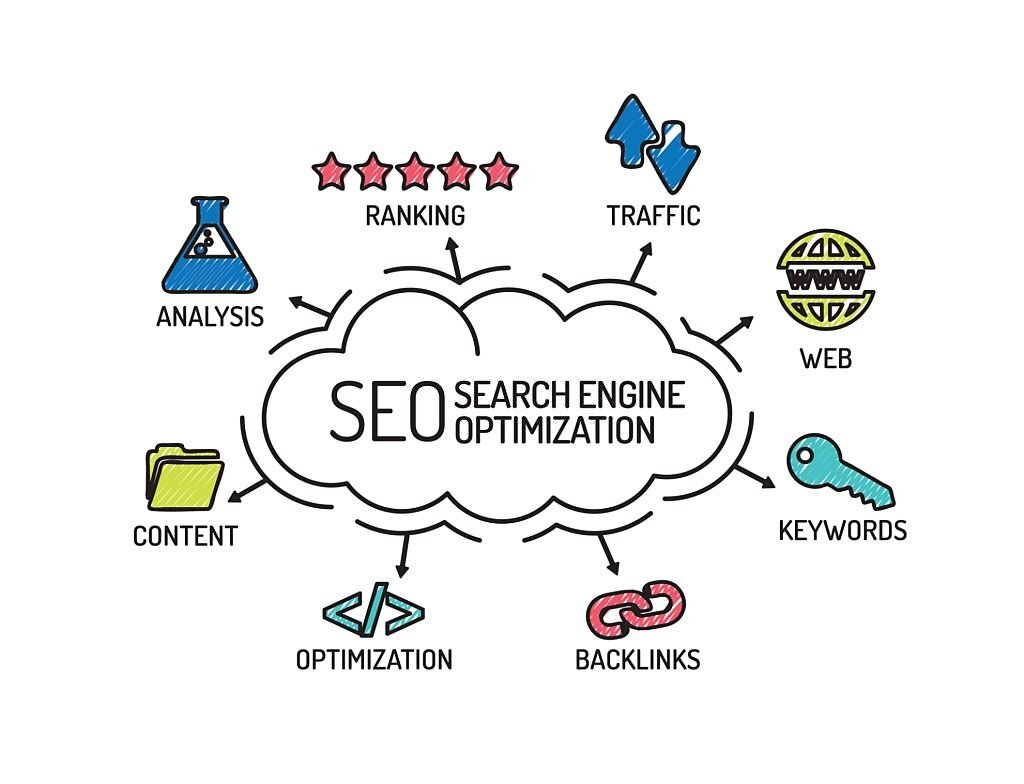

You might be wondering why WordPress SEO is a big deal. Well, it’s all about getting your WordPress site noticed on the internet. Good SEO practices help your site show up in search engine results, making it easier for people to find you.
It Boosts Your Website’s Visibility
Imagine you’ve built an amazing website, but it’s hidden away on the 10th page of Google’s search results. Not many people will find it there.
WordPress SEO is like a bright neon sign that guides people straight to your site. When you use SEO well, your website can appear on the first page of search results where more people can find it.
It Increases Web Traffic
Over 53% of website traffic for businesses comes from organic search. When you optimize your WordPress website using SEO techniques, you increase its visibility, which means more people can find and visit your site.
It Helps Reach the Right Audience
WordPress SEO not only increases website traffic but also attracts the right audience. By incorporating specific keywords that your target audience searches for, you can draw visitors who are genuinely interested in your offerings.
What Are the Challenges in WordPress SEO?
WordPress SEO can greatly benefit your website, but there are some challenges you might face along the way. Understanding these challenges can help you navigate them effectively and achieve better SEO results.
Technical Complexity
One challenge in WordPress SEO is dealing with technical complexities. Tasks like configuring WordPress plugins and optimizing website performance can be overwhelming, especially for beginners. However, with online tutorials and forums, you can gradually overcome these challenges with online tutorials and forums.
Keeping Up with Updates
Staying updated with WordPress updates can be a challenge. Regular updates to the core software, themes, and plugins can impact your website’s SEO. It’s important to stay current with these updates for compatibility and to take advantage of SEO enhancements.
Competition and Changing Algorithms
Competition and evolving search engine algorithms pose challenges in WordPress SEO. Many websites are competing for search rankings, and algorithms keep changing. Overcoming this challenge requires staying informed, adapting strategies, and monitoring trends in the SEO landscape.
Balancing SEO with User Experience
Striking a balance between SEO and user experience is crucial. While optimizing for search engines is important, providing a positive user experience is equally vital. It’s essential to ensure your website remains user-friendly and visually appealing while implementing effective SEO techniques.
What Are the Components of WordPress SEO?
When optimizing a WordPress website for search engines, several elements come into play. Understanding each of these components is crucial for successful WordPress SEO. Let’s delve into each one of them.
Keywords: The Foundation of SEO
Keywords are the terms or phrases that users type into search engines. By integrating the right keywords into your website’s content, you communicate to search engines what your site is about and can thus improve your visibility in search results.
Quality Content: The Value Proposition
High-quality content is essential for attracting visitors and building trust with search engines. By providing valuable and relevant information, you can engage your audience and establish your website as a reliable source of information.
Mobile Optimization: Catering to Modern Browsing
With the increase in mobile internet usage, ensure that your website is optimized for mobile devices. A site that looks good and functions well on mobile can improve your search engine rankings and enhance user experience.
Website Speed and User Experience: The Usability Factor
The loading speed and user-friendly navigation of your website are crucial for SEO. Search engines prioritize fast-loading sites that offer a seamless user experience, as they are considered more desirable and receive higher rankings in search results.
How to Optimize Your WordPress Website
Now that you understand what WordPress SEO is and why it matters, let’s talk about how to make it work for you. Here are some tips to optimize your WordPress website:
Choose the Right Keywords
Selecting the right keywords is crucial for SEO success. Identify the words or phrases that your target audience is likely to search for when looking for content similar to what your website offers. Keyword tools can assist you in finding relevant keywords with high search volume.
Create High-Quality Content
Every month, WordPress users create a staggering number of 70 million new posts and 77 million new comments. To stand out, create valuable and engaging content that appeals to users and search engines.
Make sure your content is well-written, informative, and tailored to your target audience. Don’t forget to naturally include your chosen keywords within the content to improve its visibility in search engine results.
Optimize Your Website’s Performance
A fast and smoothly functioning website is essential for both user experience and SEO. Optimize your website’s performance by implementing techniques such as caching, minifying CSS and JavaScript files, optimizing images, and utilizing a content delivery network (CDN) to improve loading times.
Ensure Mobile Responsiveness
With the increasing use of mobile devices, ensuring your website is mobile-friendly is crucial. Responsive design allows your site to adapt and display properly across various screen sizes. This not only enhances user experience but also improves your search engine rankings.
Utilize SEO Plugins and Tools
Take advantage of SEO plugins and tools specifically designed for WordPress. These plugins provide valuable features like on-page optimization suggestions, XML sitemap generation, and social media integration, making it easier to implement effective SEO practices.
What Are the Common WordPress SEO Plugins and Tools?

When it comes to WordPress SEO, there are several plugins and tools available that can streamline and improve your optimization efforts. Let’s explore some of the commonly used ones.
Yoast SEO: Comprehensive SEO Plugin
Yoast SEO offers a range of features to optimize your website, including analyzing your content, generating XML sitemaps, and setting canonical URLs. It provides actionable suggestions to improve your SEO and make your content more search-engine friendly.
Rank Math: All-in-One SEO Suite
Rank Math is another popular all-in-one SEO plugin for WordPress. It offers advanced SEO analysis, XML sitemap generation, rich snippets integration, and keyword tracking. It also simplifies optimizing your content for search engines and provides a user-friendly interface for managing your SEO settings.
Google Search Console: Essential Webmaster Tool
Google Search Console helps you monitor and maintain your website’s presence in search results. With Google Search Console, you can submit your sitemap, identify crawl errors, and gain insights into your website’s performance, indexing status, and search traffic data.
Google Analytics: In-Depth Website Analytics
Google Analytics provides detailed insights into your website’s performance. It allows you to track and analyze various metrics such as audience, traffic sources, user behavior, and conversions. It helps you understand the effectiveness of your SEO efforts and make data-driven decisions to optimize your website further.
SEMrush: Comprehensive SEO Toolkit
SEMrush is a comprehensive SEO toolkit that offers features for keyword research, competitor analysis, backlink analysis, and site auditing. It provides valuable data and insights to help you identify SEO opportunities, track your rankings, and optimize your website effectively. It is a popular choice among SEO professionals for its extensive set of tools and actionable recommendations.
Common WordPress SEO Mistakes to Avoid
When optimizing your WordPress website for search engines, it’s important to be aware of common mistakes that can hinder your SEO efforts. By avoiding these pitfalls, you can ensure that your website performs well and ranks higher in search results.
Keyword Stuffing and Over-Optimization
One common mistake to avoid is keyword stuffing, which means using too many keywords in your content. This can make your content sound unnatural and difficult to read. Instead, focus on using keywords strategically and naturally in your content.
Ignoring Technical SEO Factors
Another mistake to avoid is neglecting technical SEO factors. These include things like website structure, meta tags, broken links, and page loading speed. Ignoring these factors can negatively impact your website’s visibility and performance in search engines.
Neglecting User Experience
When optimizing your website, remember to prioritize user experience. Create a user-friendly site that is easy to navigate and avoids intrusive ads, pop-ups, or slow-loading pages. By focusing on a positive user experience, you can improve engagement and enhance your SEO efforts.
Conclusion
WordPress SEO is vital for optimizing your website and improving its visibility on search engines. This guide has explained what WordPress SEO is and why it’s important, highlighting its differences from general SEO practices. We’ve covered the benefits it brings in terms of increasing organic traffic and the challenges you may encounter.
By using effective WordPress SEO techniques like optimizing keywords, creating valuable content, and utilizing plugins and tools, you can enhance your website’s visibility, attract more visitors, and improve the user experience. Make sure to continue learning about WordPress SEO to stay ahead in the online landscape and unlock the full potential of your website.
Next Steps: What Now?
- Check out the top WordPress hosting providers
- Discover the top 5 SEO hosting providers
- Find out the best website builders for SEO
- Read this guide to find out what are website analytics


