


Knowing the right image format to use is key to website performance and visual quality. This in-depth guide deals with SVG vs. PNG for website design.
We’ll look closely at their strengths and weaknesses in file size, scalability, and browser support. This will help you determine the best format for your website’s needs.
hoosing the right image format impacts website performance and design clarity. Website builders make it simple to create responsive, visually appealing sites that showcase images effectively. Explore our recommended website builders to build a website that looks great and loads quickly.
Launch a Visual-Optimized Website with the Best Builders
| Provider | User Rating | Recommended For | |
|---|---|---|---|
 | 4.6 | Beginners | Visit Hostinger |
 | 4.4 | Pricing | Visit IONOS |
 | 4.2 | Design | Visit Squarespace |
SVG vs. PNG: Major Differences

Interested in making better decisions for your web design projects? Then you should know the main differences between these image formats. These are some major differences between them:
- Underlying Technology: SVG stands for Scalable Vector Graphics. They are vector-based images that define shapes and lines with the help of mathematical equations. Portable Network Graphics (PNGs) are raster-based and are made of a grid of individual pixels.
- Scalability Level: SVG images are device and resolution-independent. This means they can get scaled to any size without losing quality. PNG images are resolution-dependent. When resized, they can lose quality and become pixelated or blurry.
- File Size: SVG images are usually smaller than PNG files. This is usually for simple graphics. For complex images that need more colors and details, PNGs are smaller.
- Animation & Interactivity: SVGs can be animated and manipulated with CSS and JavaScript. PNGs are static; they don’t support animation and manipulation.
SVG: The Vector-Based Powerhouse

Scalable Vector Graphics (SVG) are vector file formats made of mathematical equations. Their infinite scalability and image quality give them an edge over other formats. SVGs work best for logos, icons, and simple illustrations.

Namecheap
The Benefits of SVGs for Your Website
SVGs offer a number of benefits over other file formats.

- Exceptional Image Quality: SVG images are crisp and clear, no matter the resolution. They are also device-independent, maintaining their quality no matter the device. Vector graphics display sharp edges and smooth curves.
- Smaller File Sizes for Simple Graphics: SVGs have a small file size with simple graphics. This leads to faster page load times and improves your website speed. According to research, page load times affect conversion rates and user engagement.
- Tailored for SEO: Search engines like Google can read XML code from SVG files. This allows you to add keywords in the image’s description for better SEO performance. SVG supports text-based graphics that search engines can index, unlike raster graphics.
- Interactive and Flexible: With CSS and JavaScript, SVG files can be easily animated and styled. This creates more engaging user experiences with interactive elements and smooth transitions.

Some Drawbacks with SVGs
- Unsuitable for complex Images: Photos and detailed artwork can increase SVG file size more than with PNGs. Complex gradients and fine details are harder to set up with vector-based graphics.
- Browser Rendering: Browser resources are limited when complex SVG images have many elements. This limits functionality and slows down page rendering. The drawback is increased on older browsers or mobile devices.
- Learning Curve: Design tools like Adobe Illustrator need familiarity before creating can begin. The learning curve can be steep if you’re used to raster image editing.

PNG: The Raster-Based Image Standard
PNG stands for Portable Network Graphics. It is a raster image format that creates images with pixels. It uses lossless compression to maintain high image quality. In this way, it avoids excessively large files. The format is tailored for detailed images, photographs, or graphics with transparency needs.
The Benefits of PNGs for Your Website

PNG images have perks that you can take advantage of when designing your next website. Below are a few of them.
- High-Quality Images: PNG can display images with up to 16 million colors. These hallmarks them for high-resolution photographs and detailed graphics. The lossless compression prevents quality degradation during file processing.
- Excellent Transparency Support: PNG handles alpha transparency really well. This allows for seamless blending of images with transparent backgrounds. As a result, it is ideal for logos, overlays, or decorative website graphics.
- Widespread Compatibility: PNG is the standard for all browsers, operating systems, and social media platforms. This universal support removes compatibility concerns across different devices.
Potential Drawbacks with PNG Files

- Larger File Sizes: PNG’s lossless compression may increase file size, unlike other raster formats. Larger files can affect website loading speed and user experience.
- No Scalability: PNG images lose quality when you resize them. The final images may be pixelated or blurry. This becomes an issue when images have to adapt to different screens. This limitation makes PNG less suitable for responsive web design.
- No Animation Support: PNG files are static images. They restrict animation or interactivity. Use alternative file formats or additional technologies for flexible content.
Performance Showdown: SVGs vs. PNGs
When it comes down to it, you need to know how each file format performs. This gives you insight on the best file format for your web project.
File Size and Load Time
SVG provides smaller file sizes for simple graphics like logos and icons. This size difference can boost your website’s performance and loading speed.
Visual Quality and Scalability

SVGs give you endless scalability without quality reduction. This makes it perfect for responsive web design. You can zoom extensively on SVG graphics and keep crisp edges and perfect clarity. Inversely, PNG images lose quality when resized past their original dimensions.
SEO Pull
SVG files allow you to embed keywords into them. This feature can improve your search engine rankings and provide more information about your visual content.
SVG and PNG Formats in Web Development
Choosing the right file type for specific use cases is important in modern web development. You have to consider unique use cases and functionality to pick the option best suited for you.
SVG for Web Graphics
Vector format is best for scalable icons, logos, or simple illustrations. Its mathematical precision provides a consistent display across all devices and screen resolutions.
PNG for Detailed Graphics

PNGs remain superior for photos and complex artwork with fine details. The pixel-based structure accurately captures tiny color variations and detailed textures.
Responsive Design Considerations
SVGs adapt flawlessly to different viewport sizes. You don’t even need to create additional images! PNGs need many versions to display correctly across devices. This increases your maintenance overhead.
Creating Your Own Digital Assets
Whether you’re team SVG or PNG, high-quality, original graphics are needed for a professional-looking website. As a design newbie, consider hiring a freelance designer.
Platforms like Fiverr give you access to talented designers. Hire a design expert for custom icons, logos, or other graphics that match your brand’s style.

Tools like Adobe Illustrator are great for creating vector-based SVG images. With some design skills, you should find your way easily around it. The software provides intensive vector editing capabilities, giving you control over anchor points, curves, and color fills.

Image creation workflows depend on your chosen format. Vector files need different approaches than raster images. This pushes mathematical precision over pixel manipulation.
Building Your Website
A website is a webpage or multimedia collection under a domain name. It is an online space for your products, services, and information. It also provides contact access to your potential customers.
Once you’ve chosen the right image formats for your needs, it’s time to create your website. If you’re new to web development, the best website builders offer a user-friendly and ordered way to get online.
Top choices like Hostinger and IONOS have the best templates and tools to create a professional-looking site. These platforms support both SVG and PNG files.

Looking for advanced customization and have some technical knowledge? try WordPress. Understanding the difference between web hosting and website builders can help you choose the best web hosting service for your project. Before deciding, you must understand web hosting basics for in-depth guidance.
Best Practices for Image Format Selection
You need to carefully choose your image format for your web project. Luckily, we have some guidelines to get you going. Put these in mind before embarking on your next design project:
- Simple Images: Use SVG for logos, icons, and geometric shapes. The vector format ensures perfect scaling and minimal file sizes for these graphics.
- Complex Images: Choose PNG for photographs, detailed illustrations, or images with color variations. Raster formats work intricate details better than the vector-based alternatives.
- Transparency Requirements: While both formats support transparency, PNGs offer more sophistication. It equips alpha transparency options for complex masking needs.
- Animation Needs: SVGs support CSS and JavaScript animation, but PNGs require external technologies for motion graphics.
- Browser Support: Modern web browsers support both formats extensively, although some older browsers may have limited SVG capabilities.

File Size Optimization Techniques
Here’s how to optimize your file sizes and keep them small when working on your next design project.
- SVG Optimization: Remove unnecessary code, simplify paths, and minimize anchor points. These techniques cut SVG file sizes by 30-50% while keeping quality intact.
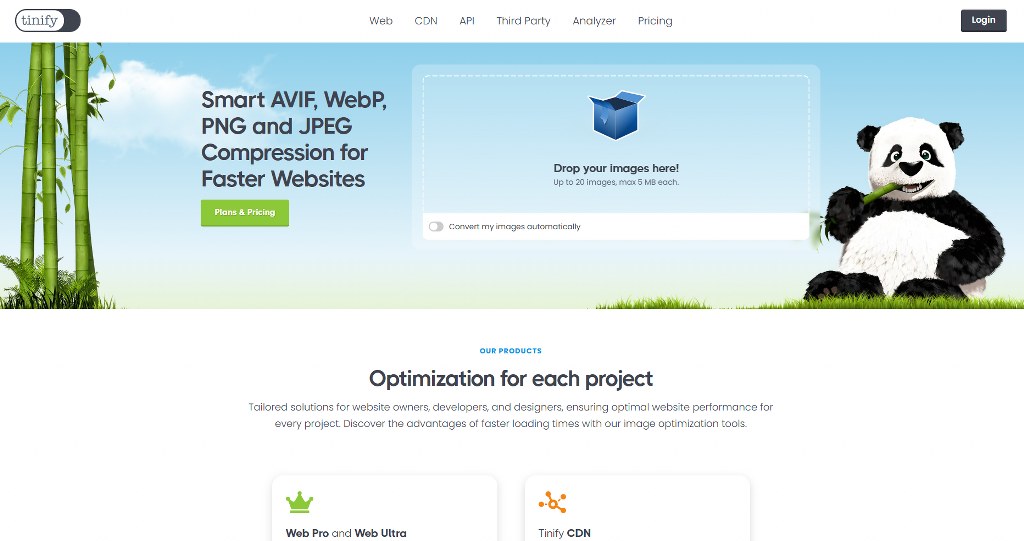
- PNG Optimization: Use appropriate compression levels and color depths based on image content. Tools like TinyPNG can reduce PNG file sizes and maintain visual quality.
- Hybrid Approaches: Apply SVGs for primary graphics and PNGs for detailed elements in the same design system.


Web Use Considerations
Different image file types have distinct purposes in web pages. Use each format appropriately for optimal performance and visual quality across your website. SVGs prosper in situations involving scalability and small file sizes.
The format really shines for user interface elements, decorative graphics, and branding materials.
PNGs remain the top choice for photographic content and detailed artwork. It is deployed where pixel-perfect accuracy is needed. The format expertly handles subtle color gradients and complex textures, making it indispensable for certain applications.
Conclusion
Your website’s specific needs and image types will inform your choice of PNGS or SVGs. SVG is favored for logos, icons, or simple graphics. You should exploit its scalability, smaller file sizes, and SEO benefits.
PNG remains superior for complex images and photographs. It excels with high-quality, lossless compression and wide compatibility. Most successful websites use both formats strategically for optimal results.

Next Steps: What Now?
Here’s how to pick the best file format for your next web design project:
- Learn the various image and graphic file formats
- Consider the benefits and drawbacks of each file format
- Evaluate your project to know the best file format for it
- Create your website
- Optimize your images and files to run smoothly on your site
Further Reading & Useful Resources
- Sourcing the Best Images for Your Website: A Beginner’s Guide.
- How to Compress PNG and JPG Images: Full Tutorial for Beginners.
- How To Optimize Images: Improve Images for Your WordPress Site.
- Unlocking Your Website’s Potential: Sitemaps and Website Navigation.
- How To Generate AI Images: Best AI Generators to Try Out.


