


For an immersive, dynamic experience, consider learning texture in web design and adopting it. It adds realism and personality, guiding users, evoking emotion, and reinforcing brand identity.
In this article, you’ll learn how to use texture in web design effectively. We’ll cover everything from choosing the right type to optimizing performance with tips and examples.
Texture adds depth and realism to your website, helping it feel more engaging and professional. The right website builder allows you to apply subtle or bold textures without compromising performance or usability. Check out our expert-recommended website builders to create stunning, textured web designs effortlessly.
Build Visually Rich Websites with the Best Website Builders
| Provider | User Rating | Recommended For | |
|---|---|---|---|
 | 4.6 | Beginners | Visit Hostinger |
 | 4.4 | Pricing | Visit IONOS |
 | 4.2 | Design | Visit Squarespace |
What Are Textures in Web Design?
Web textures are visual elements, often background images. They simulate a three-dimensional, tactile surface. They’re like digital representations of materials you might touch in the real world.
These elements add depth and personality to your digital space. They’re able to transform a flat design into an engaging and immersive user experience. Thoughtfully incorporating textures creates visual interest and engagement.
Textures aim to replicate the physical sense of touch through sight. It evokes real-world emotions and makes a site feel authentic. A user’s sight responds to textured backgrounds like it would to actual materials.

The Key Difference: Textures vs. Patterns
Although used interchangeably, they serve different visual functions in web design.
| Feature | Textures | Patterns |
| Complexity | Generally larger, more complex files with no exact repeats. | Small, repeating, tileable images. |
| Appearance | Refers to a tactile surface where it’s difficult to discern repetition. | Symmetrical and makes use of duplication in a predictable order. |
| Example | A single image of wood grain or a concrete wall. | A repeating geometric shape or a simple symmetrical design. |
Textures create the illusion of material surfaces. Patterns focus on repetitive visual elements that follow certain visual rules. Many web pages enjoy both, but knowing when to use each determines your final result.
Why Use Texture in Your Web Design Strategy?
Consider three excellent reasons for using Texture in web design.
To Add Depth and Realism Beyond Flat Design
Textures go beyond solid colors, adding visual interest and realism to your design. They break the monotony of flat interface design, creating corresponding elements that feel tangible.

These elements can create effects like 3D depth, shadows, or light variations. It makes the design more tactile for visitors browsing through your content.
Twin Dolphin website uses a 3D-textured look with parallax scrolling to break monotony. It also improves user experience with layers that respond to user interaction. The texture effect gets users absorbed into the browsing experience.

To Guide User Attention and Create a Visual Hierarchy
Textures can draw the eye to important areas like headers, CTAs, or logos. Such a strategic use helps direct your user’s attention exactly where you want it.
Textures also separate different content areas effectively. They make information-heavy pages easily digestible. It further creates a certain visual rhythm that guides navigation naturally.
The French design agency Simon & Simone highlights this perfectly. They use a green marble texture to accent featured images. The UI design creates a coherent and guided scrolling experience.

To Create Atmosphere and Convey Your Brand’s Intended Feeling
The right texture showcases brand identity and evokes specific emotions to attract users. Different materials trigger different psychological responses in viewers. For instance:
- Soft, smooth textures evoke emotions (calmness and trust).
- Sharp, angular textures convey energy and excitement.
- Natural textures like wood or stone suggest authenticity and craftsmanship.
Understanding all these elements helps you build a brand that touches emotions.
Boudin Bakery‘s website exemplifies this approach excellently. They complement their rustic, artisanal sourdough bread brand with a wood grain backdrop. The Texture stands as a visual representation of their handcrafted approach.

7 Best Practices for Using Textures in Web Design
Identify some very helpful tips for using textures in web design.

Namecheap
1. Use Texture Sparingly for Maximum Impact
Texture should be a complementary feature. Overuse can make a website look cluttered, busy, or untrustworthy. Users need visual breathing room to display content effectively.
Limit your design to one or two essential textures. That way, you can support the main content without overwhelming it. The restraint creates a more powerful visual impact where the Texture is in use.
Eileen Fisher‘s website effectively balances textured product images with ample solid white space. It allows the textured elements to shine while maintaining clean professionalism. And this is so throughout the entire site.

2. Choose Textures that Highlight Individuality and Brand Identity
Your chosen texture must align with the brand’s message, color scheme, and target audience. Every visual texture element should keep highlighting your brand story.
Realistic textures are often intuitive. Abstract textures may require user testing. It’s crucial for assessing their emotional impact on a specific audience.

A minimalist brand would not use a rough, grungy texture, and vice versa. The texture effect should feel natural and expected within your brand context.
3. Prioritize Legibility and Accessibility
Text must always be clearly visible against any textured background. Textures must never overshadow the content or make reading difficult.

Desist from low-contrast combinations like yellow text on a white background texture. You could place text inside a semi-transparent box over the texture. It ensures readability across different devices and lighting conditions.
Run your pages through a color-blindness web page filter. In doing so, you’ll ensure readability for all users. Then make your design accessible to everyone.
4. Maintain a Consistent Look and Feel

Use textures throughout your site to create a unified and professional appearance. And if you’re consistent, you’ll build trust and reinforce your brand’s own personality.
Avoid using different textures on different pages or elements without a logical reason. Random texture choices confuse users and weaken your brand message. Consistency creates a seamless user experience that feels intentional and professional.
5. Balance Image Quality with Website Performance
Textures are often large image files that can really slow down page load speed. Poor performance may drive users away before they experience your beautiful design.

Optimize texture images by appropriately compressing them. Your web resolution doesn’t need to be as high as print resolution. So, strike a balance between quality and file size.
Aim for high-quality textures without adversely impacting site speed. Slow loading causes visitors to leave, without seeing the benefits your site provides.

6. Apply Texture to Specific Design Elements

You can strategically apply textures to various parts of your website. It ensures visual interest and hierarchy, maximizing impact while maintaining performance.
Common applications include:
- Backgrounds for sections or the entire page
- Headers and Footers to frame content
- Buttons and UI elements for emphasis
- Logos and icons for brand reinforcement
- Dividers to separate content sections
Each application serves to guide user experience and reinforce your design goals.
7. Get Creative with Texture Application

Move beyond cliché designs by creating unique patterns, shapes, or text treatments. Innovation sets your brand apart from competitors using standard approaches.
Mix, match, and blend different textures to create a unique impression. Layering subtle textures can create depth that doesn’t overwhelm users.
New CSS and layer-blend functions allow you to manipulate light and shadow on These tools enable effects that a few years ago were considered impossible.

Types of Web Textures and Where to Find Them
Consider some great web textures as well as their location.
Exploring Natural Textures, Subtle Patterns, and More
Natural textures resemble real-life materials like wood, paper, or stone. It brings a sense of comfort and familiarity that users easily relate to and trust.
Subtle patterns and micropatterns add detail and sophistication without distraction. They’re excellent for accents that enhance without overwhelming your content.

Geometric and abstract textures use bold graphics and intricate patterns. The aim is to create a modern and dynamic feel. They work well for emphasis areas or contemporary brands seeking cutting-edge aesthetics.
Each type serves different purposes and appeals to different audiences. The key is matching your texture choice to brand personality and user expectations.
Using Gradients like CSS Gradient for Depth

Gradient-based textures gradually change from one color to another. You can create an illusion of depth without using complex imagery.
They’re an excellent way to draw user attention to specific page areas discreetly. Gradients can be subtle or dramatic, depending on the needs of your design.
Tools like CSS Gradient allow for easy creation and implementation. They provide code you can copy into your stylesheets.

Where to Find Free Web Design Textures

Finding high-quality textures doesn’t have to cost much. Several excellent resources provide free web design textures for commercial use.

- Textures.com: provides over 100 texture categories. Free accounts are limited to 15 downloads per day. But the quality is consistently high across all categories.
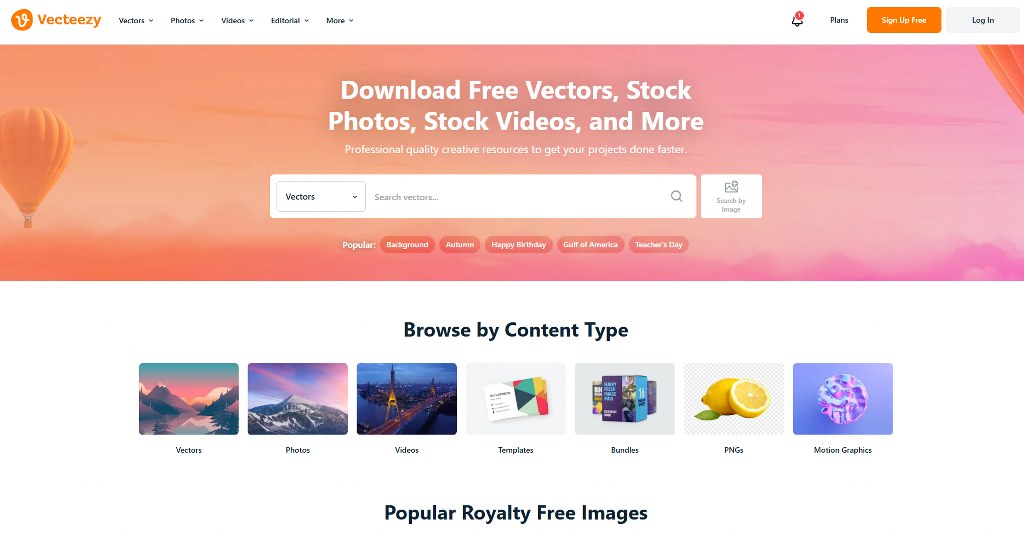
- Vecteezy: provides vector textures that you can explore with a filtered search. Vector textures scale perfectly for any browser window size without quality loss.
- Rawpixel: is another recommended source for free, high-quality web textures. Their collection includes both photographic and illustrated options for diverse design needs.


Bringing Your Textured Design to Life

To really apply these powerful style design principles, you need a digital home. Building a professional website is the first step toward implementing textured design.
For those new to web development, website builders are the easiest entry point. We recommend starting with easy-to-use platforms like Hostinger or IONOS. They offer intuitive drag-and-drop interfaces.

If you’re good with basic website creation, explore advanced options like WordPress. These platforms offer tools for creating handmade websites. But with the best web hosting service, your site will be secure, fast, and reliable.
Creating Your Own Custom Textures

For a very unique texture design, consider creating textures from scratch. Custom textures differentiate your brand from competitors using stock resources.
Digital painting using software like Adobe Photoshop offers the most customization. You can create the exact texture effect you want for your brand.

3D sculpting creates very detailed textures with tools like Blender or ZBrush. These programs can generate an incredibly realistic and beautiful web page.
Procedural generation automatically creates complex textures. It uses algorithms in software like Quixel Suite. The approach generates infinite variations from base parameters you define.

If you lack design skills, hire a professional graphic designer on Fiverr or Upwork. Professional web designers know how to create the right textures. They’ll ensure Texture is perfectly matched with your brand identity and requirements.

Creating textures gives you total control over the final output effect. You can ensure the Texture integrates well with all other elements.
Conclusion
Texture is a vital element in modern web design that adds depth. It also guides users and communicates brand personality very well. They transform ordinary web pages into unique digital experiences that engage users. Successful implementation relies on balance, restraint, and alignment with your brand identity.
We’ve indeed been talking about designing a website on a general note. But you can visit our guide to see website design ideas for every niche.

Next Steps: What Now?
Remember the following if you intend to apply texture to your site:
- When using Texture, aim to replicate the physical sense of touch through sight.
- The difference between textures and patterns lies in complexity and appearance.
- Your Texture should bring depth, visual hierarchy, and convey your brand’s message.
- Always stick to the seven best practices above when applying Texture in web design.
- Try as many types of Texture as required that meet your brand’s requirements.
- Then strive to get a solid online presence with reliable hosting.
Further Reading & Useful Resources
Below are other excellent guides that will prove helpful to you on your journey:
- Web Design Tools: Identify top tools for optimizing the web design process.
- Corporate Website Design: Get tips for website redesign and launch.
- Web Design vs Web Development: Understand the difference between the two.
- Portfolio Website: Create a website that showcases your work.
- Website Logo: Learn to create a unique logo that attracts clients.


