The promise of an AI website builder is simple: describe your site, and the platform does the rest. In reality, many AI tools create generic websites that take more effort to fix than build from scratch. I tested Bluehost’s AI website builder to see where it stands.
The promise of an AI website builder is simple: describe your site, and the platform does the rest. In reality, many AI tools create generic websites that take more effort to fix than build from scratch. I tested Bluehost’s AI website builder to see where it stands.
Bluehost has built its website builder around a premise that is worth taking seriously: AI should not just generate a template but actually understand your business and produce something you can publish.
The builder generates three distinct site options from a natural language description of your business, auto-installs the plugins relevant to your site type, and then opens a WordPress-native editor called WonderSuite where you customize the result using a section-based block system. Here is exactly what I found.
Bluehost
Get started with Bluehost Website Builder and create an AI-assisted WordPress site with WonderSuite, full WordPress access, and a 30-day money-back guarantee.
Bluehost is a well-established WordPress hosting provider that has extended its platform into AI-powered site creation for small businesses, solopreneurs, and developers who want a WordPress site without the manual setup overhead. Check current plan pricing and availability below before getting started.
Rating Breakdown
To evaluate Bluehost Website Builder, I applied our hosting review methodology, a structured framework used consistently across all reviews to keep scores grounded in real testing rather than marketing claims.
Here is how Bluehost Website Builder performed across every key parameter I assessed:
Three Standard plan tiers at competitive introductory rates with a 30-day money-back guarantee. The gap between introductory and renewal pricing is wide on all plans, and the term selection at checkout is the most important decision a new customer makes.
AI site generation, three unique previews, WordPress-native editing, WonderBlocks, WonderSuite, WooCommerce integration, plugin auto-install, free domain, CDN, and global data center selection make this a feature-rich offering for the price.
The AI setup flow is genuinely useful for non-technical users, and the WonderSuite editor provides meaningful customization without requiring WordPress expertise. The checkout is well-organized and transparent about billing terms.
Human agents deliver accurate and technically grounded answers once reached. The AI-first routing adds a friction layer for technical questions, and the AI made a notable context error on a hosting-specific query that affected the precision of its response.
Overall
9.0/10
Bluehost Website Builder is a strong WordPress-native site creation platform for small businesses and non-technical users who want AI-assisted setup combined with the flexibility of a full WordPress environment. The AI generation quality and editor organization are both genuinely above average.
Bluehost
Get started with Bluehost Website Builder and create an AI-assisted WordPress site with WonderSuite, full WordPress access, and a 30-day money-back guarantee.
Bluehost’s pricing page is organized with a two-tab toggle at the top: Standard and Advanced. The Standard tab covers the three plans most relevant to website building and WordPress hosting.
The Advanced tab covers VPS Hosting, WordPress Cloud Hosting, and Dedicated Hosting for users with more demanding infrastructure requirements.
The checkout stage surfaces four term options in a tab selector: Monthly, 1 Year, 3 Years (Best Value), and 4 Years. Longer terms deliver lower effective monthly rates. The shopping cart displays the renewal rate alongside the current term rate, so the cost at next billing is visible before payment is submitted.
All plans include a 30-day money-back guarantee. The guarantee applies to first-time accounts on eligible plan types.
Tip The term selection at checkout is the single most consequential decision you make during signup. The 3-year term offers the deepest discount but requires the largest upfront payment and locks you into a materially higher renewal rate when the term ends.
Bluehost Website Builder Features
AI site builder generates three unique options
WordPress-native with full WP admin access
WonderBlocks section library for page building
Menus and Pages management panel built in
Global color, font, and animation appearance controls
Free domain included for the first year
Free CDN across all hosting plans
Managed WordPress updates included by default
WooCommerce integration for eCommerce functionality
Six global data center locations at checkout
30-day money-back guarantee on all plans
Bluehost
Get started with Bluehost Website Builder and create an AI-assisted WordPress site with WonderSuite, full WordPress access, and a 30-day money-back guarantee.
To evaluate the full customer experience, I went through the complete journey from homepage to live builder: navigating the pricing page, configuring the checkout, completing account creation and payment, going through the AI site generation flow, and working inside the WonderSuite editor.
1. Finding the Product and Selecting a Plan
The Bluehost homepage opens with a prominent AI-focused hero section. A Get Started button in yellow leads directly to the pricing page.
The pricing page displays the Standard/Advanced toggle at the top. I selected the Standard tab and reviewed the three plan cards.
Each card displayed the plan name, a one-line positioning statement, the introductory per-month rate at the 36-month term with a savings badge, the renewal rate, and a Choose Plan button. The Business plan was highlighted as Recommended. I selected the Business plan.
2. Domain Selection
After selecting a plan, Bluehost’s domain selection page appeared with the headline “Choose your FREE* domain name.” The options were:
Search for and register a new domain, with a TLD dropdown defaulting to .com
Choose domain later: a link that skips the domain step and allows connection through the dashboard after signup
A checkbox to use a domain I already own
A pre-checked Add Domain Privacy + Protection checkbox
I selected Choose domain later to move directly to the checkout without registering a domain during this session.
3. Checkout
The checkout page was organized into three numbered sections on the left, with a live Shopping Cart panel on the right that updated as I made changes.
Section 1: Create Account offered four sign-in methods side by side: Email, Google, Apple, and GitHub. I used Email, entering a username and password. A Log In link appeared at the top for returning customers.
Section 2: Recommended Add-ons presented four optional upgrades as a list with individual Add buttons:
Bluehost Complete Security at a monthly rate (billed annually)
Codeguard backup at a monthly rate (billed annually)
eCommerce at a monthly rate (billed annually)
Yoast at a monthly rate (billed annually)
None were pre-added to the cart, which I noted as a positive: the page is transparent rather than pre-selecting paid add-ons.
Section 3: Billing Information offered three payment methods: Credit or Debit Card, Google Pay, and PayPal. The credit card form asked for card number, expiry, CVV, first and last name, address, city, state, zip code, and phone number.
The Shopping Cart panel on the right was one of the more transparent checkout summaries I have seen:
A term selector with four tabs (Monthly, 1 Year, 3 Years Best Value, 4 Years) showing the effective per-month rate and total billed amount for each term
A Data Center dropdown allowing me to select the server region for my hosting; the dropdown listed USA Virginia, Germany Frankfurt, France Paris, Brazil Sao Paulo, Australia Sydney, and USA Arizona
Line items for the 36-month plan total, renewal rate, domain name (at zero as I chose domain later), and Professional Email Trial (1 month free, renews afterward)
A today’s total with savings calculated and displayed against the standard price
An Add Promo Code link
The auto-renewal disclosure and links to Terms of Service and Privacy Notice appeared below the totals. A Submit Payment button completed the purchase.
4. The AI Site Builder
After account setup, the Bluehost dashboard provides access to the AI Website Builder. The process follows three structured steps:
Step 1: Describe your business. The AI setup presents a text prompt asking you to describe your business, your audience, and your design preferences. Category chips appear as clickable shortcuts covering common business types. The AI uses this input to plan the site’s structure, content, and visual direction.
Step 2: Generate and preview. The AI generates three distinct site options.
Each can be previewed in full before selecting. A Regenerate option is available if none of the initial three options match the desired direction.
Step 3: Customize and publish. The chosen site opens in the WonderSuite editor where all visual and content customization happens before publishing.
5. The WonderSuite Editor
The WonderSuite editor is a WordPress-integrated visual builder that sits inside the WordPress environment rather than replacing it.
The editor interface has a top bar with the current page name, undo and redo controls, a Save button, and desktop and mobile preview toggles. Preview and Publish buttons sit in the top-right corner.
The left-side navigation organizes the editor into six primary sections:
Sections: browse the WonderBlocks section library organized by category (Address, Apps, Business hours, Call to action, Carousel, Contact form, Countdown, Cover Image, Event, FAQ, Facebook, Gallery, Iframe, Map, Media/list, Media/text, Menu, and more). A search bar sits at the top of the panel and a Recommended category surfaces the most commonly used blocks.
Menus and Pages: manage the full page structure including all site pages, the primary navigation menu, and hidden pages such as Privacy Policy and Sample Page. Right-clicking any page in the list opens a context menu with Settings, Remove from primary menu, and Delete options.
Appearance: three tabs covering Colors, Fonts, and Animations. The Colors tab offers a Light/Dark mode toggle and a set of preset theme color options with an Explore color themes link. A multi-page preview in the center of the screen updates in real time as theme changes are applied, showing the Home, About, and Gallery pages simultaneously so you can see how a color or font change affects the full site before saving.
Settings: site-level configuration including domain, favicon, and metadata.
Blog: create and manage blog posts directly from the editor without switching to the WordPress admin panel.
Bluehost: a shortcut panel linking back to the main Bluehost account and dashboard.
WP Admin: direct access to the full WordPress admin panel for advanced configuration, plugin management, and any settings not exposed through WonderSuite.
Email Marketing: an integrated access point for email marketing tools.
When editing a section, a panel opens on the right side of the screen with contextual controls.
For a Cover Image section, for example, the right panel shows Layout (with arrow navigation through preset layout options and a counter showing the current layout out of the total available, such as 4/7), Elements (toggles for Title, Subtitle, Description, and Buttons), and Layout settings (Full page toggle, Content alignment dropdown, Section size slider).
For a Pricelist section, the right panel adds Columns (buttons for 2, 3, or 4 column layouts) and List Elements controls with individual toggles.
Clicking any text element on the canvas opens an inline text editor with formatting controls: bold, italic, underline, text transform, link, highlight, size adjustment, and font selector.
6. The Dashboard
After publishing, the Bluehost plugin inside the WordPress admin panel becomes the primary management interface.
The Bluehost sidebar menu covers:
Home: the main overview with site status, a site preview thumbnail, and next steps for the store or site setup
Pages and Posts: quick access to the content management layer
Store: WooCommerce store management for eCommerce builds
Marketplace: plugin and theme discovery within the Bluehost ecosystem
Performance: caching and performance monitoring controls
Settings: hosting-level configuration accessible from within WordPress
Staging: one-click staging environment for testing changes before pushing to production
Help with WordPress: direct links to WordPress-specific support resources
The WordPress admin panel itself remains fully accessible throughout. The WP Admin link in the WonderSuite editor sidebar provides direct access whenever standard WordPress functionality is needed alongside the Bluehost-specific tools.
Overall Ease of Use Verdict
Bluehost’s website builder is one of the more thoughtfully structured AI site creation experiences I have tested. The AI generation step is genuine: the three site options it produces are meaningfully distinct from each other rather than minor color variations of the same template. The WonderSuite editor provides enough control to produce a professional result without requiring WordPress expertise, while keeping the full WordPress environment accessible for users who need it.
The checkout is transparent about billing terms, renewal rates, and data center selection, which are the three decisions that most commonly surprise new hosting customers post-purchase. Surfacing them clearly at the cart stage reflects a platform that respects the buyer’s ability to make an informed decision.
Bluehost
Get started with Bluehost Website Builder and create an AI-assisted WordPress site with WonderSuite, full WordPress access, and a 30-day money-back guarantee.
Bluehost provides support through live chat, phone, and a comprehensive knowledge base. The live chat entry point is accessible both through a Chat bubble on the website and through an Ask BLU button inside the dashboard. Both routes connect you to an AI assistant as the first layer of the support experience.
I tested the full support journey: submitting a technical question, assessing the AI’s response, and then escalating to a human agent.
Opening the Chat
I initiated a chat from the Bluehost website and submitted a technical pre-sales question: what happens to data and running services if the physical host node goes down, and whether Bluehost hosting has automatic failover or whether that is the customer’s responsibility to architect.
This is a question with a specific, technically accurate answer for managed WordPress hosting environments, and it is the kind of question that reveals whether a support system understands its own product’s infrastructure.
The AI Response
The AI responded with a structured answer covering regular backups, uptime monitoring, and the recommendation to consider higher-tier plans for more resilient configurations. It also surfaced four suggested follow-up questions the user could click to continue the conversation.
The response had one significant flaw worth calling out. In its opening framing, the AI referenced the “shared hosting environment” when the question was asked in the context of managed WordPress hosting.
That is a context error that matters because failover behavior differs between shared hosting and managed WordPress infrastructure. The rest of the answer was broadly accurate but stayed at a generic level rather than addressing the WordPress-specific architecture.
To its credit, the AI was transparent about the limits of what it could address and provided a clear path to escalate to a human agent.
Escalating to a Human Agent
I clicked Chat with a Live Agent to escalate. The transition required a single button click and connected me to an agent named Sharath without a queue wait.
Sharath confirmed my account details and addressed the failover question with considerably more precision than the AI response had managed. For a managed WordPress hosting setup, he confirmed that Bluehost operates redundant server clusters with automatic failover: if a node goes down, traffic is rerouted automatically without manual intervention. He also noted that customers are still responsible for maintaining their own backups as an additional recovery layer, which is an honest and accurate framing of the division of responsibility.
The answer was technically grounded, correctly scoped to the hosting environment I asked about, and did not overstate the platform’s guarantees.
Documentation and Help Center
Bluehost’s knowledge base covers WordPress-specific topics in depth, including site creation with WonderSuite, plugin management, staging workflows, performance optimization, and account billing.
The documentation is well-organized and generally sufficient for setup and configuration questions before a chat session is needed.
My Verdict on Support
The Bluehost support experience has two distinct layers. The AI assistant provides a useful starting point for general questions and escalates cleanly to a human agent when needed.
The weak point is the AI’s tendency to frame questions in generic hosting terms rather than plan-specific or product-specific context, which affects the precision of its first-pass answers. A few observations:
AI-first routing adds a step for technical questions requiring plan-specific context
The AI’s shared hosting framing on a managed WordPress question was a notable context error
Escalation to a human agent requires a single button click and connects without a queue
Sharath’s failover answer was accurate, complete, and honestly scoped to the platform’s actual guarantees
The knowledge base is strong on WordPress-specific topics and worth consulting before opening a chat
For non-urgent questions, the support channel works well once through to a human agent. For time-sensitive technical issues, knowing the escalation path exists upfront means you can skip the AI layer and request a human directly rather than working through the first-contact response first.
Bluehost
Get started with Bluehost Website Builder and create an AI-assisted WordPress site with WonderSuite, full WordPress access, and a 30-day money-back guarantee.
Conclusion: Do We Recommend Bluehost Website Builder?
Yes. I recommend Bluehost Website Builder for small businesses, bloggers, solopreneurs, and developers who want an AI-assisted WordPress experience without losing access to the full WordPress environment.
Its biggest strength is the AI site generation process, which creates three distinct website options from a simple business description, complete with relevant content and pre-installed plugins. This saves non-technical users significant setup time.
The WonderSuite editor makes customization simple while still giving advanced users full WordPress admin access. Introductory pricing is competitive, and the 30-day money-back guarantee offers a solid trial period. Bluehost is also transparent about renewal pricing and billing terms during checkout.
Before committing, consider the higher renewal rates and the fact that advanced eCommerce features require the eCommerce Essentials plan or paid add-ons.
Overall, Bluehost Website Builder is a polished AI-powered platform that delivers a strong balance of simplicity, flexibility, and WordPress control.
You can always read your complete Bluehost review for more information.
Setup their agency hosting (formerly called Cloud) for my clients. Been running with no downtime for over 16 months now across 23 clients. The speeds are incredible and the uptime was my biggest surprise. Support has been great when I needed it, there was one time that the support agent couldn't resolve my issue and had to escalate it to someone over email. This issue was resolved a couple of hours later. Overall, the experience has been great, and the pricing beats what I was paying over at Flywheel for a similar agency hosting plan. I also have a couple of test accounts on their shared hosting product. This product has seen some great improvements over the past year and is quite impressive as well.
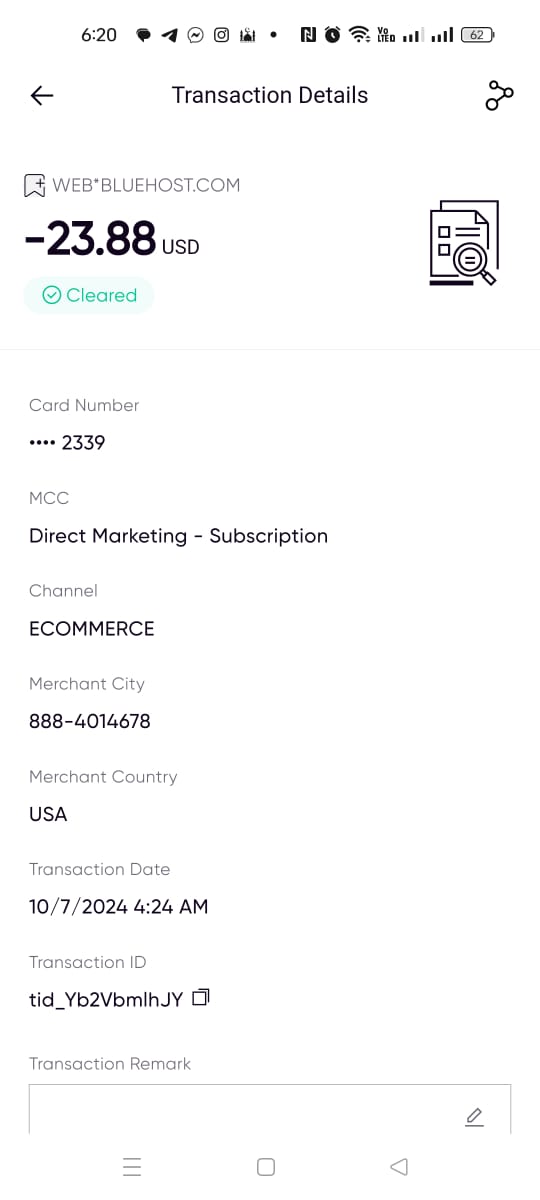
I booked hosting on October 7, 2024 After 24 hours, I found my account not working with the company. I checked my site and found the site working without a problem. I thought it was a technical problem. I tried to log in to my account again on October 9 and found the same problem, but I added that the site was no longer working at all
For more than three days, my site is not working. My account with the company is not working. Whenever I contact technical support, they respond with canned responses. We are working to solve the problem. They will contact you soon. So far, the problem has not been solved at all. Every day, my site is down, which is equivalent to a financial loss. They deal with it coldly. I do not advise anyone, even a beginner, to deal with them
So far, my site is not working. I ignore and deal slowly with their technical support service, as well as leaking my private data by the company, as I find many after booking hosting. They contact me via email and under the name registered with their company to provide SEO, design, and other services, which is something that violates privacy
I think that if there is a negative rating or less than zero, they will deserve it
Complaint about Bluehost Support Staff Sybbale, Sneha, and Harshitha.
Complaint about Bluehost Support Staff Sybbale, Sneha, and Harshitha.
I am a professor of English at a Japanese university. I have used the Bluehost Hosting service for more than 20 years for my courses at two universities. My students use my Moodle website content as a core course tool.
On August 28, 2024, I was following the instructions in the Bluehost cPanel instructed me to update my outdated version of Moodle 4.2 to Moodle V. 4.4.2. After proceeding, the updating process froze before completing the update.
This has happened on previous occasions in the past years (I have used Bluehost Hosting for more than 20 years), and Bluehost Support has always been able to solve my problems under the same conditions. This year, after three attempts with three different Bluehost support people, they could not solve the problem as quickly as in past years. I tried to follow the same steps as in past years, but the Bluehost cPanel has changed since April 2023.
In fact, this year all three Bluehost people (Sybbale, Sneha, and Harshitha.) gave me the same generic ("canned") instructions to "DYI" and report the results to them. I have documented chat recordings if you want to read through the long, unsuccessful chat discussions.
This has been extremely frustrating and disappointing, especially since I have been using Bluehost for over 20 years. Sybbale, Sneha, and Harshitha are unknowledgeable and unenthusiastic about going above and beyond their minimal abilities to solve customer problems.
After 20-plus years, I am now in a panic about finding a new hosting service and setting up my Moodle website before the new semester commences in a couple of weeks. I hope and pray you avoid Bluehost and this exact situation. Fortunately I am having great success with my new hosting service Hostinger. The service is much more user friendly and the support staff have already provided me with understandable guidance to rebuild my website using their hosting service.
I hope I have helped someone avoid the same problem. Avoid Bluehost. It's cheap but widely known for POOR customer service. After 20 years, add me to that long list.
After 15 years, I am cancelling my Bluehost account. Why? Terrible service, attempts to upsell "SiteLock" to fix hacked site (did not work) and now they recently changed the terms of my 2 year contract. I will be moving all my business to DreamHost, where I already have a few sites...
Blue host is a worst and overrated hosting service. Their servers are compromised and full of viruses. Their Support agents are lazy and they don't bother to reply on time. It takes 10-15 minutes in getting reply for a single message. Their Wordpress Staging Plugin is full of bugs. If you create a staging site, it will break your main website. In fact during staging creation, main website database tables were deleted by Staging plugin. Their supporters operators are dumb and they don't have much knowledge about Server processes. My website was broken due to their buggy Staging tool. I requested their support operator to restore a website back and he was moving me around other things like file manager, .htaccess file etc.
THEY ARE THE WORST SERVICE YOU CAN FIND, IF YOU WANT TO LOOSE BUSINESS AND WASTE HOURS ON CALL WITH NO RESOLUTION, SIGN UP WITH THEM. THEY DONT HAVE A IDEA WHAT GOING ON, they will email you for account deletion and when you contact them on chat or call they will tell you everything is fine and working and you dont need to worry about it. Next what will happen is that bluehost will shutdown your account, you will loose your domain names, business, and then they will ask you for more money. Their staff is all INDIAN with pseudonyms, they will scam you and rip you off. DONT WASTE YOUR TIME AND MONEY
BEWARE PHILLIPINES SERVICE IS HORRIBLE WITH NO ACCOUNTABILITY. NO SURVEY, REP CAN BE COMPLETELY RUDE TO YOU AND YOU WOULD NOT HAVE ANY RECOURSE TO ADDRESS. WHEN YOU ASK TO SPEAK TO THEIR SUPERVISOR, THEY WILL KEEP YOU ON HOLD FOR HOURS UNTIL YOU HANG UP!!
All they wait for is to get your credit card number and then start charging whatever subscription they want. In my case, I even got it cancelled and it was still charged. Contacted support again and they say that they started the subscription and can't cancel it anymore. Now I am having to file a dispute with the card provider! Fortunately, I saved a screenshot of the confirmation of cancellation.
January 12, 2023: Disaster. My website builder stopped working, on the day before, hours before, I came to a satisfied product. I panicked; I didn't know what to do; So I slept on it. Cut to the next morning. Stricken with worry, I was paralyzed with what to do. After some research and trying some things myself, I came to the conclusion, that I...needed help. And I found Swathi. And in a matter of minutes, Swathi understood my plight and knew how to solve my problem and did so. I am thankful to Swathi. I will tell stories of Swathi to my children, and my children's children for helping me this day. Sincerely yours, Mary Hart Founder Nature's Ale LLC
Does Bluehost Website Builder use real AI to create sites?
Yes. The Bluehost AI builder generates three unique site options from a plain-language description of your business. It produces distinct layout, copy, and content structures for each option rather than minor variations of the same template. A Regenerate option is available if none of the initial options match your vision.
Does Bluehost include a free domain?
Yes. All three Standard plans include a free domain for the first year. The domain selection step appears after plan selection, and a Choose domain later option is available if you want to skip that step during initial signup.
What is WonderSuite and how does it work?
WonderSuite is Bluehost’s WordPress-integrated visual editor. It uses WonderBlocks, a library of pre-built content sections, to let you customize your site by adding, removing, and configuring sections visually. The editor runs inside WordPress, so the full WP admin panel remains accessible alongside it.
Do I need WordPress experience to use Bluehost Website Builder?
No. The AI setup handles the site structure, content, and plugin installation automatically. WonderSuite provides visual editing controls without requiring any WordPress or coding knowledge. The full WordPress admin panel is available for users who want advanced configuration, but it is not required to build and publish a site.
Does Bluehost Website Builder include eCommerce?
The eCommerce Essentials plan includes WooCommerce auto-install, secure payment processing, product subscriptions, visitor memberships, paid courses, and an affiliate program. The Starter and Business plans do not include eCommerce by default, but the eCommerce add-on is available at checkout on those plans.
Does Bluehost Website Builder include a money-back guarantee?
Yes. All three Standard plans include a 30-day money-back guarantee on first-time accounts. The guarantee period is the practical window to evaluate the AI builder, WonderSuite editor, and overall platform before the refund option closes.
What data center locations does Bluehost offer?
Data center selection is available at the checkout stage. The options are USA Virginia, Germany Frankfurt, France Paris, Brazil Sao Paulo, Australia Sydney, and USA Arizona. The selected region is where your hosting server will be provisioned.
HostAdvice.com provides professional web hosting reviews fully independent of any other entity. Our reviews are unbiased, honest, and apply the same evaluation standards to all those reviewed.While monetary compensation is received from a few of the companies listed on this site, compensation of services and products have no influence on the direction or conclusions of our reviews. Nor does the compensation influence our rankings for certain host companies.This compensation covers account purchasing costs, testing costs and royalties paid to reviewers.