As someone who regularly tests and reviews hosting providers, I decided to put Contabo VPS Hosting to the test. From setup to performance benchmarks, I wanted to see if their reputation for unbeatable value really holds up. Here’s my honest take on their VPS services.
As someone who regularly tests and reviews hosting providers, I decided to put Contabo VPS Hosting to the test. From setup to performance benchmarks, I wanted to see if their reputation for unbeatable value really holds up. Here’s my honest take on their VPS services.
Contabo has built its name around low prices and powerful resources, promising VPS plans that start under $5/month with generous RAM, NVMe storage, and full root access.
During my evaluation, I tested everything from the registration flow to server performance and support responsiveness.
While I found impressive CPU and network speeds, I also uncovered a few areas for improvement in usability and support. If you’re weighing value against performance, Contabo VPS lineup deserves a closer look.
VPS Hosting Plans with Contabo
Contabo VPS is one of the most cost-effective solutions if you want strong performance without breaking the bank. From global availability to robust security and developer-friendly features, it gives you maximum value for your money.
No nested virtualization support on VPS (available on VDS)
Bandwidth throttling after heavy use
Windows license costs extra
Rating Breakdown
To keep our reviews fair and consistent, we follow a structured rating methodology that looks at all the key aspects of a hosting provider. This ensures our evaluations aren’t based on surface-level impressions but on measurable performance, real usability tests, and the overall value a user gets.
Here’s how Contabo VPS Hosting performed across our rating categories:
Contabo offers industry-leading price-to-performance, with VPS starting under $5/month. Transparent billing, discounts on long-term plans, and generous resource allocations make it unbeatable in affordability.
VPS plans include full root access, snapshots, private networking, custom images, and multiple OS choices. While comprehensive, the lack of nested virtualization on VPS limits flexibility for advanced setups.
Registration and management give users granular control, but inconsistencies with local settings and a dated dashboard design reduce the experience. Still, the depth of management tools is commendable.
The Knowledge Base is comprehensive and detailed, but ticketing and live chat are heavily gated.
Overall
9.0
With strong pricing, performance, and features, Contabo VPS stands out as excellent value. The interface and support flow need polishing, but the core hosting experience is highly competitive.
Contabo VPS Hosting Prices & Plans – 2026
One thing I always look out for with any hosting provider is how they handle refunds, trials, and payments.
Contabo doesn’t offer a free trial, which means you must commit immediately upon signing up. However, they do provide a 14-day money-back guarantee, so if you change your mind in the first two weeks, you can request a full refund.
I like that they also allow refunds in cases like accidental orders or even if your service renews automatically and you catch it within 72 hours. That kind of flexibility shows they at least try to keep things fair.
When it comes to payment, Contabo keeps it pretty straightforward. You can pay with credit or debit cards and PayPal in USD, EUR, or GBP. They also accept bank transfers in Euros, and for some customers, direct debit is available.
Overall, while I’d have preferred a short free trial, I think the refund policy covers most common situations, and the variety of payment options makes it simple enough to get started.
For the pricing, you can always go through our complete Contabo VPS pricing page to learn more.
VPS Hosting Plans with Contabo
Contabo VPS is one of the most cost-effective solutions if you want strong performance without breaking the bank. From global availability to robust security and developer-friendly features, it gives you maximum value for your money.
To determine the quality of the Contabo VPS, I conducted a series of performance tests. I wanted to see how the server handled CPU-intensive workloads, memory throughput, disk I/O performance, and network bandwidth. Then I put it under a stress test to evaluate stability under heavy load.
For this, I used sysbench (for CPU, memory, and disk), speedtest-cli (for network speeds), and stress (for resource load testing).
1. CPU Test (sysbench)
The CPU test with sysbench is designed to measure how fast a server can process arithmetic tasks — in this case, by calculating prime numbers.
What I was looking for here was the number of events per second, which is a measure of how many operations the CPU can handle concurrently. Lower latency is also a good sign, as it shows that the CPU isn’t struggling with delays under load.
Results:
Events per second: 5,945.46
Total events: 178,375 in 30 seconds
Average latency: 0.67 ms
95th percentile latency: 0.77 ms
These results are solid for a mid-range VPS. An events-per-second figure close to 6,000 across four threads shows that the AMD EPYC processors used by Contabo deliver strong parallel processing power.
The latency distribution is also very stable, with most operations completing in under 1 ms. For real-world usage, this means you can expect smooth performance for CPU-heavy tasks like running web servers, compiling code, or handling moderate-sized databases. It’s not the absolute fastest VPS CPU benchmark I’ve seen, but for the price point, this is excellent value.
2. Memory Benchmark (sysbench)
The memory test evaluates RAM throughput — essentially how fast the VPS can write data to memory. This is crucial for applications that need to load large datasets, caching layers, or memory-hungry workloads.
Results:
Total operations: 104,857,600
Transfer rate: 4,759.14 MiB/s
Operations per second: 4.87 million
Average latency: effectively 0 ms
A throughput of nearly 4.8 GB/s is very impressive for a budget VPS. This level of memory performance suggests that Contabo’s use of DDR4 ECC RAM on AMD EPYC servers provides consistent, high-speed access.
It ensures smooth operation for in-memory databases, caching layers (like Redis or Memcached), and general multitasking on the VPS. The negligible latency confirms stability even under heavy memory load.
3. Disk I/O Benchmark (sysbench)
Disk I/O tests are critical because slow storage is often the bottleneck in VPS performance. I ran a random read/write test with a 2 GB file to measure both throughput and IOPS (input/output operations per second).
Results:
Reads per second: 8,981.53
Writes per second: 5,987.63
fsyncs per second: 19,174.90
Read throughput: 140.34 MiB/s
Write throughput: 93.56 MiB/s
Average latency: 0.12 ms
The read and write throughput are respectable for NVMe storage, though not at the very top end of what Gen 4 NVMe can theoretically achieve. Still, for VPS hosting at this price point, these figures are strong.
The latency figures are particularly impressive — an average of 0.12 ms means data access is consistently fast. This kind of performance is ideal for web hosting, transactional databases, and applications where low-latency disk access is critical.
4. Network Speed Test (speedtest-cli)
Since my VPS was located in Contabo’s Europe hub, I tested against a nearby Deutsche Telekom server in Düsseldorf.
Results:
Latency: 8.71 ms (very low, great for Europe)
Download speed: 604.80 Mbps
Upload speed: 600.37 Mbps
Packet loss: 0%
These results show that Contabo provides a highly capable network backbone. Speeds above 600 Mbps in both directions are more than enough for most hosting use cases, including running high-traffic websites, streaming servers, or handling large file transfers.
The very low latency (under 10 ms within Europe) ensures smooth performance for interactive applications. The lack of packet loss indicates a stable, reliable connection.
5. Stress Test (stress)
Finally, to test overall stability, I ran a stress test that maxed out the CPU, I/O, and memory simultaneously for 120 seconds.
Results:
8 CPU workers, 4 I/O workers, and 2 memory workers ran for 2 minutes
The test completed successfully without crashes or errors
The VPS handled the heavy load without any instability. This shows that Contabo’s infrastructure is stable under sustained pressure, which is exactly what you want for production workloads. It suggests you can safely run resource-intensive applications without the system becoming unresponsive.
My Verdict on Performance
Overall, I was impressed with how the Contabo VPS performed across these tests.
CPU performance: Strong, consistent, and efficient for multi-threaded workloads.
Disk I/O: Fast with very low latency, perfectly adequate for hosting and database tasks.
Network speed: Outstanding, with over 600 Mbps upload and download and near-zero latency in Europe.
Stability: The server stayed rock-solid even under stress testing.
For the price point Contabo offers, these results confirm that their VPS plans deliver exceptional value for money. While they don’t match the absolute top-tier benchmarks of premium providers, the balance of performance, reliability, and cost makes Contabo a very compelling choice.
VPS Hosting Plans with Contabo
Contabo VPS is one of the most cost-effective solutions if you want strong performance without breaking the bank. From global availability to robust security and developer-friendly features, it gives you maximum value for your money.
I wanted to see how easy they were to access, how responsive they felt, and how useful the answers were. Here’s what I found.
1. Ticket Support
I started in the client area, where there’s a “Support” option in the left menu.
Naturally, I expected that clicking it would bring up a form to submit a ticket. Instead, it redirected me to the Help Center.
From there, I had to scroll all the way down to find a “Submit a Ticket” button. Clicking it didn’t take me straight to a form either.
Instead, a pop-up appeared titled “Request Support”, asking me to first pick a category:
Technical issues
Billing & Payment & Invoicing
Contract management
Products & Services
Other
I chose Technical issues, but I wasn’t done yet. Another screen appeared, asking me to refine the problem further:
I can’t reach my server
Setting up a server for the 1st time
DNS configuration
Password reset
Server performance
Data backup
Issues with the IP address
My topic isn’t listed
I clicked “I can’t reach my server.” Instead of getting the form, I was given an instructional message telling me to go back to “Your Services” → Manage → “I can’t connect to this server” and follow an interactive troubleshooting guide.
Only at the end of that process would I be allowed to actually submit a ticket.
This design is deliberate. Contabo wants you to solve the problem yourself before opening a ticket. While it might reduce ticket volume, it also means that in an urgent situation, you’re forced through several hoops before reaching a human. For me, this felt like a frustrating layer of gatekeeping.
2. Live Chat
Next, I tested live chat, which I assumed would be the quickest way to talk to someone. Once again, I had to start at the Help Center.
After scrolling, I found a button that said “Chat with us.”
But instead of opening a chat box, it loaded an article titled “How Do I Chat With the Contabo Customer Support Team?”
The article explained that live chat only works if:
You’re logged into the new customer panel (not the one I was using by default).
You return to the Help Center after logging in.
The chat icon finally appears at the bottom right of the page.
Even then, I wouldn’t immediately get a human agent. First, I’d be connected to ContaBro, their bot, which tries to answer questions with pre-written responses.
Only if the bot couldn’t help would I be routed to a live agent. And they included a disclaimer: if the team is busy, the chat window may not appear at all.
To me, this setup means live chat is not a true real-time channel. Instead of instantly reaching support, you need to jump through multiple steps, deal with a bot, and hope there’s an agent available. In a hosting emergency, that could feel like wasted time.
3. Knowledge Base
Finally, I explored the Knowledge Base, which is clearly where Contabo invests the most effort. Unlike the other two channels, this was easy to access. Clicking “Support” in the sidebar took me straight to it.
The landing page greeted me with a large search bar (“Hi, how can we help you?”) and suggestions like Reset Password and Server Inaccessible. Beneath that, articles were categorized into clear sections:
Getting Started
Billing & Service Management
Products & Services
Troubleshooting
Server Status
YouTube Tutorials
I tried a few articles, including How Can I Configure Additional & Floating IP Addresses on My Contabo Server? The article was well structured, with a table of contents and detailed step-by-step instructions.
It also didn’t assume too much. It explained things clearly enough for intermediate users while still being detailed for advanced setups.
What impressed me most was how comprehensive and updated the Knowledge Base felt. Many hosting providers treat their help center as an afterthought, but Contabo’s is clearly a central part of their support strategy.
My Personal Take
From my testing, it’s clear Contabo puts its emphasis on self-service first, human support second. The Knowledge Base is excellent — probably one of the best I’ve seen for a budget VPS provider. If you’re comfortable troubleshooting, you’ll likely find answers faster there than waiting for a support response.
But when it comes to tickets and live chat, I felt slowed down by too many steps. Instead of direct access, I had to go through layers of guided questions, bots, and redirects. In a real-world scenario where your VPS is down and you’re losing business, that kind of gatekeeping could be very frustrating.
What I liked:
Knowledge Base is comprehensive and well-written
Articles often include video tutorials
Clear categories and strong search function
Ticket system covers all issue types once you get to it
Chatbot can handle very simple questions quickly
Where it could improve:
Too many barriers before reaching a human agent
Tickets should have a direct submission option for urgent issues
Live chat should be accessible immediately from the dashboard
No guarantee of instant response if agents are busy
Overall, I’d say Contabo’s support is solid for self-reliant, technical users, but less appealing if you want direct, fast access to a person. Their documentation is strong enough to resolve most common issues on your own, but the extra steps to reach human support feel unnecessary.
VPS Hosting Plans with Contabo
Contabo VPS is one of the most cost-effective solutions if you want strong performance without breaking the bank. From global availability to robust security and developer-friendly features, it gives you maximum value for your money.
When evaluating a hosting provider like Contabo VPS Hosting, I decided to focus on three key elements: the registration process, the dashboard interface, and server management.
These factors matter because they shape your first impression and directly affect how smooth your experience will be over time.
1. Registration
I started by testing Contabo’s registration process step by step, and I’ve included screenshots alongside this walkthrough so you can see exactly what I experienced.
The first thing I noticed on the Contabo homepage was the small flag and currency symbol at the top right. Clicking it opened a Locale Settings pop-up, where I could choose my language, country, and currency.
By default, Germany and Euros are selected, but you can switch these to other countries like the United States or change the currency to the U.S. Dollar to see how it would affect pricing and tax.
I also appreciated the clear note stating that “your account will be fixed to the currency you choose when ordering” — something many providers don’t clarify upfront.
After setting the country and currency, I was ready to sign up. I hovered over “VPS” in the menu and clicked on “Cloud VPS.”
This opened a page showing all VPS plans. After reviewing the tiers, I chose Cloud VPS 30 (8 vCPUs, 24 GB RAM, 200 GB NVMe). I clicked Select to continue.
This took me to the Configure your VPS page. This page gave me a lot of control over setup:
Term length: 1 month, 6 months, or 12 months (with discounts for longer terms). I chose 12 months for the best value.
Region: I could pick between multiple continents with visual icons. I stayed with Europe.
Storage: Default was 200 GB NVMe, but SSD upgrades were available at no extra cost or with a small fee. I stuck with the NVMe option.
Operating system: Ubuntu was preselected, but other Linux distros and Windows Server were available (Windows costs an extra $32/month). I kept Ubuntu.
Backups: Daily automated backups could be added for $3.50/month. I chose not to add this for now.
Login credentials: “Root” was prefilled as the username. I generated a secure password using their built-in tool.
Once all fields were filled, I clicked “Next” to continue.
Clicking “Next” took me to the Personal Info form. Here, I entered my name, address, email, and phone number. The form was labeled “Business Data,” which felt odd since I wasn’t registering as a business. It still accepted my personal details, but clearer labeling would help here.
When I tried to continue, I was met with a pop-up reminding me about backups: “Prevent Data Disasters – use a Backup Solution!” It gave me two options — add automated backups or stick with managing data protection myself. I confirmed that I’d handle it manually.
Finally, the Confirmation page summarized everything: the VPS plan, discounts, and total price. After reviewing everything carefully, I clicked “Order & Pay,” and the transaction went through. Moments later, I received an order confirmation email with my VPS access details.
Overall, Contabo’s registration is detailed and flexible, but not without its quirks.
What I liked:
Transparent pricing with clear discounts for longer terms
Deep customization for VPS specs, OS, and storage
Helpful backup reminder before final checkout
Built-in password generator for security
What could improve:
“Business Data” label, which may confuse individual users
Backup reminder timing could be better integrated earlier in setup
From my experience, Contabo puts a lot of effort into giving customers granular control right from the start. The sign-up process feels thorough, and I liked the ability to customize nearly every aspect of my VPS.
2. Client Area
After finishing the sign-up process, the next thing I wanted to check was the client area, or dashboard. This part is important to review because it’s where you’ll spend most of your time once you’re a customer.
I wanted to see how easy it was to navigate, how clearly the features were organized, and whether it felt beginner-friendly or geared more toward advanced users.
When I logged in, I was greeted by a “Welcome, Ecommerce Registered!” message along with my customer ID. The layout was built around a familiar three-part structure: a top navigation bar, a left-hand sidebar menu, and a main content area in the middle.
The top bar was straightforward. It included quick links to Home, Company Details, Support, and Log Out, along with my logged-in email and customer ID. Nothing flashy here, but it was functional.
Right below that, three large yellow banners immediately caught my eye:
The first invited me to try the new Contabo customer panel, suggesting that what I was seeing was the older design.
The second encouraged me to enable auto-payment, so I wouldn’t miss future invoices.
The third urged me to activate two-factor authentication for better account security.
I liked that these prompts were front and center because they touched on convenience and security — two things you really don’t want to overlook with hosting.
Next, I turned to the left sidebar, which acted as the control panel. This is where Contabo really shows its depth. There were sections for:
Your services (where I expected my VPS to show up)
Unpaid Orders, Billing, Payment Method, Data Processing Agreement
Server Control, which expanded into VPS Control, IP Management, OS reinstalls, Domains, DNS Zone Management, and Reverse DNS Management
Tutorials and Support
A New Order section at the bottom for quickly buying additional VPS, storage, or domains
This sidebar was packed — almost too packed. On one hand, it meant everything I could ever need was right there. On the other hand, it felt like a long, slightly overwhelming list.
The main content area displayed the welcome message and then transitioned into a “Contabo News” feed. I was surprised by how prominent this section was. Recent announcements included a 25% discount on new VPS contracts, a new lineup of bare metal servers, and a loyalty promotion with discounts on upgrades and storage.
For me, this was a nice touch. It showed that Contabo isn’t static. They’re regularly adding features, updating hardware, and rewarding loyal customers.
What I liked
The level of control was impressive. Being able to manage IPs, reinstall operating systems, handle DNS zones, and even upload custom images gave me confidence that I wouldn’t be locked into a limited setup.
The calls to action for auto-pay and two-factor authentication were useful reminders that directly improved convenience and security.
The news feed stood out because it kept me in the loop on upgrades and promotions without needing to dig through emails.
The New Order shortcuts made it quick to scale services without leaving the dashboard.
Where it could improve
Being greeted with a banner saying “Go to our new panel” made me wonder why I wasn’t already in it. As a new customer, I’d expect to land in the newest interface by default.
The design felt dated. While functional, it lacked the polish and modern UX you see from other hosting providers.
The sidebar was dense, with a lot of scrolling required. Collapsible menus or better grouping would help make navigation easier.
My impression is that Contabo’s client area is built for power users. It gives you every tool you could want to manage your VPS, and it does so without hiding anything behind unnecessary menus.
That said, it feels like a dashboard designed more by engineers than UX designers. For experienced users, that’s a strength. You get full control without fluff. But for beginners, it could feel overwhelming at first glance.
In short, the Contabo dashboard works well and is feature-rich, but it could benefit from a cleaner design and smoother onboarding into their new panel. My takeaway is that Contabo clearly prioritizes functionality and control over looks, which is consistent with their positioning as a low-cost, high-value VPS provider.
3. Hosting and Server Management
After getting comfortable with the client area, the next thing I wanted to test was how easy it would be to actually manage my hosting inside Contabo VPS Hosting.
This part is extremely important because management is where you’ll spend most of your time once the server is live.
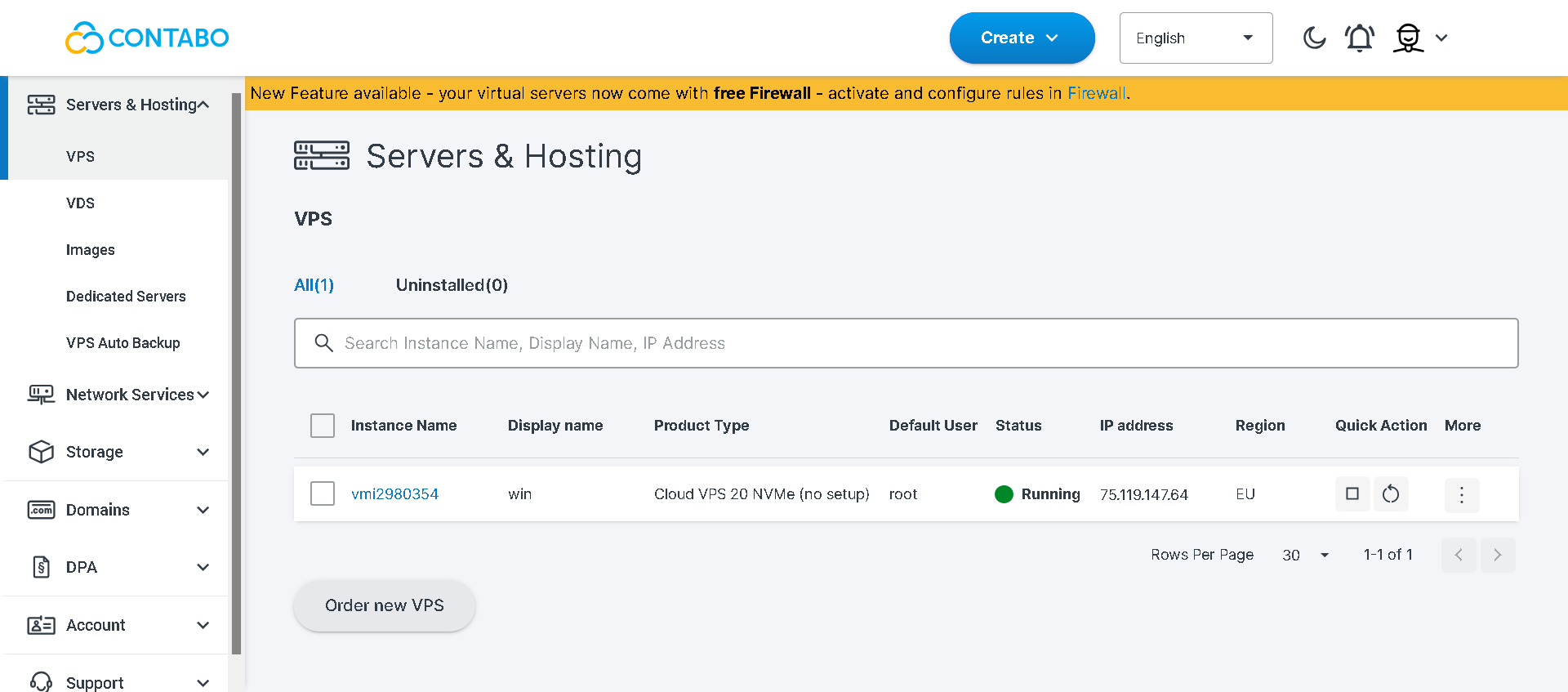
From the left sidebar in the dashboard, I clicked on “Your services.” This opened a page with a detailed overview of everything I had running at Contabo.
Right at the top, there was a note explaining how billing works: upcoming due dates, balance deductions, and one-time setup fees. I liked this because it made the payment flow transparent and reminded me to always check that my balance was sufficient before renewals.
Scrolling down, I could see all the key details of my VPS at a glance:
Plan: Cloud VPS 30 NVMe
IP addresses: Both IPv4 and IPv6 were listed
Location: Europe data center hub
VNC access details: With IP and port included
Host system and OS: My server was running Ubuntu 22.04
Billing status: Marked as paid, since I had prepaid for 12 months
This summary was clean and to the point — no guesswork, just the essential info.
Next to the service details, there was an “Upgrade Now” button and a “Manage” dropdown. Clicking the dropdown revealed a long list of powerful options:
Control – the main server control panel
Upgrade VPS – scale up instantly if I need more power
Move to other region – handy for latency or compliance needs
Order Windows – option to switch to a Windows server
Order add-on – purchase additional features
Extend NVMe storage – increase storage without changing plans
Reinstall – fresh install of the operating system
I can’t connect to this server – direct troubleshooting link
Rescue system – boot into a minimal OS for recovery
Order custom image – deploy a server from my own image
Server name – rename the server in the portal
Renew for a longer period – extend subscription at discounted rates
Cancel service – terminate the VPS if no longer needed
For me, this menu really highlighted Contabo’s philosophy: give users full control without hiding anything behind support tickets.
I wanted to dig deeper, so I clicked on “Control.” This is where you get the real hands-on management tools, such as power operations like start, stop, reboot, monitoring graphs for CPU and memory, console access through VNC, snapshot management, rDNS settings, firewall rules, and more.
What I liked:
Clear service overview: All details (IPs, OS, billing, location) in one place.
Deep manage menu: Options for upgrades, OS reinstalls, rescue systems, storage extensions — very developer-friendly.
VNC access provided: Critical for troubleshooting when network access is down.
Easy scaling path: Upgrade buttons right where I needed them.
Where it could improve:
Old vs. new panel confusion: Just like in the client area, I was still prompted to use a “new customer panel.” It would be better if new users were automatically routed there by default.
Outdated design: Functional but plain. Adding live resource graphs (CPU, RAM, network) directly on the “Your services” page would modernize the feel.
Overall, I found Contabo’s hosting management to be powerful and comprehensive. I didn’t feel limited at any point. Instead, I had direct control over every aspect of my VPS, from scaling resources to rescuing a broken system.
This is exactly what I want from a VPS provider: the ability to manage things myself without waiting on support for basic tasks.
That said, I think the experience could be smoother if Contabo fully migrated everyone to their newer panel and refreshed the design. Right now, the functionality is excellent, but the look and flow feel a little utilitarian.
Still, for the price, I can’t complain much. The bottom line is that Contabo’s management options put the power squarely in your hands, which is exactly what you need when running production servers or development environments.
VPS Hosting Plans with Contabo
Contabo VPS is one of the most cost-effective solutions if you want strong performance without breaking the bank. From global availability to robust security and developer-friendly features, it gives you maximum value for your money.
After testing Contabo VPS Hosting myself, I can confidently say it delivers exceptional value for money. The combination of powerful AMD CPUs, generous RAM, and NVMe storage at such low prices is hard to beat.
I was especially impressed by the performance benchmarks, which showed solid CPU efficiency, fast memory throughput, and reliable network speeds. The client area gives you a lot of control, though I found the interface slightly dated and the support a bit gated.
Still, for users who know what they’re doing and want performance without breaking the bank, Contabo stands out. In my view, if you’re looking for a budget-friendly VPS that doesn’t compromise on power, Contabo is an excellent choice.
After much research and reading on people's comments on support and provided features, I decided to go with Contabo and up till now I haven't changed my mind. I've never had issues and the dashboard includes everything I need to run my app.
Contabo offers an excellent balance of performance, reliability, and affordability. The platform is easy to use, making VPS management straightforward even for beginners. Their support team is responsive and helpful whenever assistance is needed. Combined with competitive pricing and dependable infrastructure, Contabo provides one of the best value-for-money VPS services on the market. I highly recommend it to anyone looking for a reliable hosting provider.
I have been using Contabo VPS to host and manage my backend applications, Docker containers, and Nginx servers. The pricing is absolutely unbeatable for the hardware resources provided. Customer support is very responsive and helpful, and the servers are stable. The control panel is good, though it could be slightly more modern, but overall, it is an amazing service for software engineers and developers.
I am renting a Virtual Dedicated Server M, 8 core, 32 GB, 240 GB (100% NVMe), 500 Mbit/swith Windows license for $137.25 / month Support is fine Admin panel is also practical.
A Contabo VPS is a Virtual Private Server hosted on Contabo’s infrastructure, giving you dedicated CPU, RAM, and storage resources at affordable prices. You get full root access, multiple OS choices, and the flexibility to run websites, applications, or custom projects with reliable performance.
How much does Contabo VPS cost?
Contabo VPS plans start at $4.95/month for Cloud VPS 10, which includes 3 vCPU cores, 8 GB RAM, and 75 GB NVMe storage. Prices scale up based on cores, memory, and storage, with long-term subscriptions offering significant discounts.
Is Contabo VPS good for beginners?
Yes, but with a caveat. Contabo offers excellent value, but its dashboard and management tools feel more suited for technical users. Beginners can use it, though they might face a learning curve.
Is Hetzner better than Contabo?
Hetzner is another strong budget-friendly host, but it often comes at a slightly higher cost. From my experience, Contabo wins on price-to-performance ratio, while Hetzner offers a more polished interface and sometimes stronger network performance.
HostAdvice.com provides professional web hosting reviews fully independent of any other entity. Our reviews are unbiased, honest, and apply the same evaluation standards to all those reviewed.While monetary compensation is received from a few of the companies listed on this site, compensation of services and products have no influence on the direction or conclusions of our reviews. Nor does the compensation influence our rankings for certain host companies.This compensation covers account purchasing costs, testing costs and royalties paid to reviewers.