Over the years, I’ve reviewed countless hosting providers, each boasting stellar performance and unbeatable value.
So when I tested Hostman, I was curious to see if it could truly deliver. My first impression? It’s a gem for those seeking high performance on a budget.
With blazing-fast CPU speeds of 459 events per second and disk read/write speeds exceeding 1 GB/s, Hostman impressed me right away.
If you’re looking for a hosting provider that combines affordability with impressive performance, Hostman might be the one. Its global data centers and cutting-edge features, such as high-speed NVMe storage and free backups, make it a standout option for businesses and developers alike.
In my tests, Hostman didn’t just talk the talk—it delivered. With CPU processing speeds hitting 459 events per second and web server requests clocking over 6,000 per second, it proved it’s no slouch in performance. Want to know how it stacks up in features and usability? Let’s dive in!
To ensure a fair and consistent evaluation of hosting providers, we’ve developed a comprehensive rating methodology that guides our reviews. For a detailed explanation, check out our rating methodology page.
This approach allows us to assess different aspects of a provider, leading to a more holistic and reliable conclusion. Here’s a breakdown of how Hostman performed across key parameters:
| Parameter | Score | Why did we give this score? |
| Prices | 9.0 | Hostman offers affordable plans starting at just $4/month with pay-as-you-go options. However, additional features like public IPs and backups slightly increase the final cost. |
| Features | 9.5 | Hostman impressed us with features like high-speed NVMe storage, global data centers, Kubernetes support, and free backups. We deducted slightly for limited plan customization. |
| Performance | 9.0 | Hostman performed exceptionally well in our tests, with CPU handling 459 events/second, disk speeds reaching 1.3 GB/s, and web servers processing 6,041 requests/second. |
| Ease of Use | 9.5 | The intuitive control panel and seamless setup process make Hostman beginner-friendly. Minor details in navigating advanced settings kept it shy of a perfect score. |
| Support | 9.0 | The support team responded quickly on live chat and gave clear answers. Email support was helpful but not as quick. |
| Overall Score | 9.2 | Hostman offers excellent value with its affordability, features, and performance. Slight improvements in uptime and quicker email responses could elevate it further. |
Hostman offers an impressive range of hosting solutions tailored to various user needs. Their services include Cloud Servers, VPS Hosting, WordPress Hosting, Managed Kubernetes, Databases, Virtual Private Clouds (VPCs), S3 Object Storage, and an App Platform as a Service.
When it comes to payment options, Hostman keeps it simple. You can use your credit/debit card or PayPal, and you can even save your card for automated top-ups, ensuring your services run uninterrupted.
Billing is done hourly, and charges are applied daily to your account balance. While Hostman doesn’t explicitly offer a free trial, they refund unspent funds, giving you the confidence to explore their services risk-free.
Here are what the plans offer:
Hostman’s Cloud Servers are designed for blazing-fast performance. Each plan features 3.3 GHz processors, NVMe storage, and 200 Mbps bandwidth with unlimited traffic. They are perfect for developers and businesses needing speed and reliability.
| Plan Name | Space | CPU | RAM | Bandwidth | OS | Price | |
|---|---|---|---|---|---|---|---|
| 1 x 3 GHz | 25 GB | 1 x 3GHz | 1 GB | Unlimited | MYR 16.38 | Details | |
| 1 x 3 GHz | 40 GB | 1 x 3GHz | 2 GB | Unlimited | MYR 20.47 | Details | |
| 2 x 3 GHz | 60 GB | 2 x 3GHz | 2 GB | Unlimited | MYR 24.56 | Details | |
| 2 x 3 GHz | 80 GB | 2 x 3GHz | 4 GB | Unlimited | MYR 65.51 | Details | |
| 4 x 3 GHz | 160 GB | 4 x 3GHz | 8 GB | Unlimited | MYR 69.60 | Details | |
| 8 x 3 GHz | 320 GB | 8 x 3GHz | 16 GB | Unlimited | MYR 307.06 | Details |
The $5/month plan is a great entry point for beginners or small projects, offering just enough power to handle moderate workloads. For businesses with heavier traffic, the $17/month plan delivers the scalability and resources you need to grow.
Hostman’s VPS Hosting combines powerful 3.3 GHz processors with NVMe disks for enhanced performance. Designed with flexibility and reliability, each VPS plan ensures 200 Mbps bandwidth and unlimited traffic.
| Plan Name | Space | CPU | RAM | OS | Price | |
|---|---|---|---|---|---|---|
| 1 x 3 GHz | 25 GB | 1 x 3GHz | 1 GB | MYR 16.38 | Details | |
| 1 x 3 GHz | 40 GB | 1 x 3GHz | 2 GB | MYR 20.47 | Details | |
| 2 x 3 GHz | 60 GB | 2 x 3GHz | 2 GB | MYR 24.56 | Details | |
| 2 x 3 GHz | 80 GB | 2 x 3GHz | 4 GB | MYR 32.75 | Details | |
| 4 x 3 GHz | 160 GB | 4 x 3GHz | 8 GB | MYR 69.60 | Details | |
| 8 x 3 GHz | 320 GB | 8 x 3GHz | 16 GB | MYR 151.48 | Details |
The $8/month plan strikes the perfect balance for most users, offering sufficient resources for hosting websites, small applications, or databases. However, if you’re managing multiple resource-heavy applications, the $37/month plan will provide ample power.
Hostman simplifies WordPress hosting with scalable, affordable plans. From small personal blogs to large enterprise sites, their hosting plans cater to all types of WordPress users.
| Plan Name | CPU | RAM | Bandwidth | Warranty | Price | |
|---|---|---|---|---|---|---|
| 1 x 3 GHz | 1 core | 1 GB | Unlimited | MYR 0.00 | MYR 16.38 | Details |
| 1 x 3 GHz | 1 core | 2 GB | Unlimited | MYR 0.00 | MYR 20.47 | Details |
| 2 x 3 GHz | 2 cores | 2 GB | Unlimited | MYR 0.00 | MYR 24.56 | Details |
| 2 x 3 GHz | 2 cores | 4 GB | Unlimited | MYR 0.00 | MYR 32.75 | Details |
| 4 x 3 GHz | 4 cores | 8 GB | Unlimited | MYR 0.00 | MYR 69.60 | Details |
| 8 x 3 GHz | 8 cores | 16 GB | Unlimited | MYR 0.00 | MYR 151.48 | Details |
The $6/month plan is ideal for bloggers or small business owners launching their WordPress websites. The $17/month plan will ensure faster loading times and reliability if you’re hosting an eCommerce site or a high-traffic blog.
Hostman’s Managed Kubernetes takes the complexity out of container orchestration. With flexible plans, you can deploy, scale, and manage your workloads effortlessly.
Here’s a breakdown of their Kubernetes plans:
The $17/month plan balances cost and performance for medium-sized workloads. The $26/month plan provides unmatched scalability for businesses running large-scale applications.
Hostman’s database hosting supports many technologies, including MySQL, PostgreSQL, and MongoDB, making it suitable for all applications.
Plan details for MySQL (example):
The $9/month plan is great for most applications and offers sufficient power for medium-scale projects. For enterprise databases, the $36/month plan ensures seamless performance.
For those seeking dedicated resources and isolation, Hostman’s VPC plans provide secure environments with scalable resources.
Plan breakdown:
The $8/month plan is perfect for small businesses, while the $17/month plan suits larger teams needing more robust resources.
While Hostman excels in providing a wide range of hosting solutions, its offerings go beyond traditional hosting services.
Hostman also offers businesses, developers, and enterprises additional tools and platforms designed to simplify data management, application deployment, and resource optimization.
Hostman’s S3 Object Storage is an excellent cost-effective solution for managing data. It allows you to store, access, and manage your files securely, whether you’re hosting backups, storing media files, or managing static content for your websites or applications. The best part? You only pay for the storage you use, with no hidden data transfer fees.
Hostman’s App Platform as a Service is a game-changer for developers looking to streamline their workflows. This platform makes deploying and managing applications incredibly easy without the headaches of traditional server management. Hostman supports frontend, backend, and Dockerfile configurations, allowing you to build and deploy apps tailored to your specific needs.
I wanted to see how Hostman’s cloud servers performed under pressure. I conducted a series of performance tests to evaluate CPU, disk I/O, memory, and web server performance. Here’s a detailed breakdown of the tests and their results:
CPU benchmarking is designed to test the raw processing power of a server’s CPU by performing a series of intensive calculations.
The aim is to see how quickly and efficiently the CPU can handle workloads, giving us an idea of its performance in demanding situations. To conduct this test, I used the sysbench tool with the following command:
sysbench --test=cpu --cpu-max-prime=20000 run
This command instructs sysbench to run a CPU-intensive test focused on calculating prime numbers, setting the maximum prime number to 20,000. Here’s what the output revealed:
Events per second: 459.22
Total time: 10.002 seconds
Latency:
Threads Fairness:

Here’s what these results mean:
This CPU benchmarking result indicates that the server’s CPU performed well for basic tasks but was not very fast, which is expected for an entry-level server.
Disk I/O benchmarking measures how fast the server can read and write data to its storage device. This is crucial for applications that require frequent disk access, such as databases or file servers. I performed two tests using the dd command: one for writing data and another for reading it.
For writing:
dd if=/dev/zero of=testfile bs=128M count=8 oflag=direct
This command writes a 1 GB test file to the disk using 128 MB blocks. Here are the results:
Read Test:
dd if=testfile of=/dev/null bs=128M count=8
This command reads the previously written file from the disk to measure read performance.
Results:

The NVMe storage provided excellent I/O performance and high read and write speeds. This ensures rapid data processing, making it ideal for applications that require frequent disk access.
Memory benchmarking evaluates the speed and efficiency of the server’s RAM. This is crucial for tasks like caching, in-memory databases, and applications that require large temporary storage.
To conduct this test, I used the sysbench tool with the following command:
sysbench --test=memory --memory-block-size=1M --memory-total-size=1G run
This command writes 1 GB of data to memory using 1 MB blocks, testing the write speed of the server’s RAM.
Results:

The memory performance was stellar, with an impressive transfer rate and minimal latency. Hostman’s servers are well-suited for memory-intensive tasks such as real-time analytics or in-memory caching.
This test evaluates how the server handles web traffic, including concurrent requests, response times, and overall throughput. It’s essential for determining the server’s capacity to handle high-traffic loads.
The command I used was:
ab -n 1000 -c 100 http://16x.X.XXX.1x6/
This command sends 1000 requests to my server, with 100 concurrent requests at a time. Here are the results:
Results:

The server handled 1,000 requests with zero failures and impressive speed. A throughput of over 6,000 requests per second is excellent, making this setup ideal for high-traffic websites or applications.
Hostman’s cloud servers demonstrated strong performance across all the tests:
Overall, the tests confirm that Hostman’s infrastructure is robust, fast, and capable of supporting demanding workloads. This makes it a solid choice for developers and businesses looking for reliable hosting solutions.
Hostman provides a variety of support channels to cater to its users, including live chat, email, phone, and social media. I tested all these methods personally to give you an accurate review of their customer service.
Here’s my experience with each support channel and how well it performed.
The live chat feature on the Hostman website is easy to find and use. I started by clicking the chat icon on the bottom right corner of the website, entered my question, and was prompted to provide my email address.
For my test, I asked: “I’m planning to deploy a multi-container application with Docker Compose that includes a Node.js API and a PostgreSQL database. Could you provide specific recommendations on the best approach for handling persistent database data within your environment, including the use of volumes or other persistent storage options you provide?”
The response came within 20 minutes. While this isn’t the fastest live chat experience I’ve had, the reply I received was polite and professional.
The reply was clear but lacked tailored advice specific to my setup. Instead, the agent pointed me to general documentation and suggested looking for best practices in open-source resources. While the links to their API documentation and instructions were helpful, I expected a more detailed, hands-on solution.

Impression: While the live chat is a good option for straightforward questions or general guidance, it may not be the best choice for highly technical or specific issues. The response time could be improved, and I would’ve preferred a more detailed answer instead of being redirected to documentation.
For future queries, I’d recommend live chat for quick clarifications or initial troubleshooting and suggest following up via email if more comprehensive assistance is required.
I sent an email to info@hostman.com to evaluate how their email support works. I asked the question: “Hi, I’m exploring different hosting options for a small web app I’m building. I’m using Docker and have my app containerized, along with a PostgreSQL database. Before I sign up, I’m wondering how you guys handle data persistence for database containers? I’d need to make sure the data doesn’t disappear when the containers restart. What are the options you offer for that?”
The response was well-written and covered all aspects of my query.
They explained how Hostman handles persistent storage, offered suggestions like using S3 Object Storage for backups, and outlined the benefits of automated solutions. While the response time wasn’t immediate, the thoroughness and professionalism of the reply made up for it.
Impression: Email support is reliable for more complex queries that don’t require an immediate response. The team provides clear, well-researched answers, making it a strong option for users with detailed questions.
Hostman offers phone support at +357 22 090221, available Monday to Friday, from 9 a.m. to 6 p.m. I tested this option by calling during their listed hours to ask a general question about hosting plans. The call connected quickly, and the representative was courteous and knowledgeable.
They walked me through different hosting options and clarified pricing.
Impression: Phone support is ideal for users who prefer direct verbal communication. While the availability is limited to business hours, the experience was smooth, and the representative was both friendly and helpful.
Overall, I found Hostman’s customer support team to be responsive, knowledgeable, and user-focused. They excel at addressing technical questions and guiding users through their services. Here’s my summary of each method:
To really understand how user-friendly Hostman is, I decided to explore its registration process and control panel.
I wanted to see if setting up an account and deploying a server was as straightforward as they claimed. Here’s my experience:
I found signing up for Hostman to be surprisingly simple and direct. To start, I went to the Hostman homepage.
From there, I clicked on “Products” in the top main menu and then chose “Cloud Servers” from the dropdown. This took me to a page outlining their various cloud server options.

I scrolled down to view the pricing and decided to go with their entry-level plan: CPU 1 x 3 GHz, RAM 1 GB, NVMe 25 GB, and Bandwidth 200 Mbps, priced at $4 monthly.

After selecting that, I clicked “Sign up”, which prompted me to create an account. I had the option of signing up with my email, Google, or GitHub. I chose to sign up with my email, and after entering it, I was immediately asked to create a password.

On the next page, I was presented with a comprehensive server configuration screen. Here’s what I saw:
After reviewing everything, I clicked “Create server.”

The next page showed me a dashboard with a balance of $0, indicating that my account was not paid. It displayed a payment section where I could add funds, choosing to pay $5.75 as the initial amount needed to run the server.

Hostman’s pay-as-you-go model requires you to top up your balance to activate services.
I had the option of adding funds by linking a credit/debit card, which I proceeded to do. I clicked “Submit Payment” and was directed to a secure payment page where I completed the transaction. I received a payment confirmation email shortly after, confirming my successful registration and payment.
After the payment confirmation, I returned to the dashboard, and there it was, my new server, ready to go!

Hostman’s platform was impressively easy to navigate from registration to server setup. I appreciated the step-by-step flow, clear instructions, and flexibility in customizing my server. Thanks to the well-designed user interface and thoughtful prompts, the process feels approachable even if you’re new to hosting.
I’d recommend starting with the basic plans for beginners to get a feel for the platform. Experienced users will appreciate the scalability and advanced features like SSH keys and private networking. Overall, Hostman excels in making hosting simple and accessible for everyone.
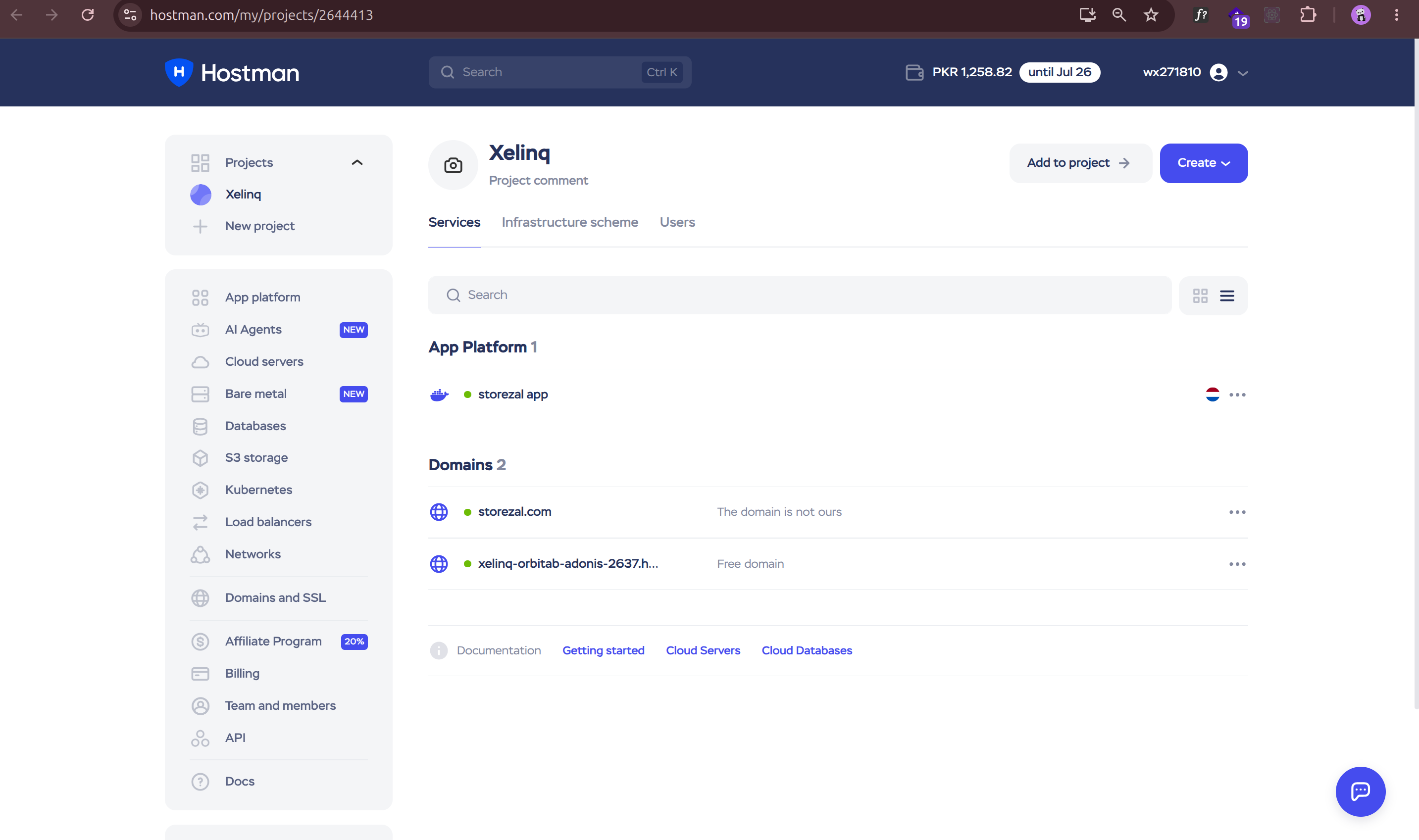
To continue assessing Hostman’s ease of use, I wanted to explore its control panel. After successfully registering and deploying a cloud server, I navigated to my dashboard. Under the “Services” section, I clicked on my newly created server to open its management interface.

This took me to the control panel, which provided a wealth of information and options for managing my virtual server.
The first tab I landed on was the “Dashboard.” It presented a clear and concise overview of my server’s current status. At the top, I saw “Statistics for a day,” with the option to “Show the fixed scale.” Below, the dashboard displayed the following key metrics:

Beyond the dashboard, the control panel offered several other tabs, each with specific functions:
I found Hostman’s control panel well-designed and intuitive. The “Dashboard” tab provided a clear overview of my server’s performance and status, while the other tabs easily accessible various server configuration and management options.
I felt that this control panel was user-friendly and offered all the necessary features to monitor and manage my virtual server effectively.
The graphs were very informative and helpful, the information was clear and well-organized, and I felt that even new users would not have a difficult time using this control panel.
Hostman impressed me with its strong blend of affordability, performance, and ease of use. The registration process was remarkably straightforward, and the intuitive control panel made managing my server easy.
I was particularly impressed by the speed of their NVMe storage, which resulted in excellent disk I/O performance during my tests.
While I’m always wary of over-hyped claims, Hostman delivered solid performance in my tests. Though the CPU performance wasn’t as strong as the disk speeds, it was still reliable. I was also pleased with their global reach, offering various server locations to choose from, which is crucial for low-latency access. The different plans and pricing options are very competitive and offer a good value for the money.
So, who is Hostman best for? I believe they are well-suited for developers, startups, and small businesses looking for a reliable and affordable cloud server solution.
If you value ease of use, good performance, and responsive email support, Hostman is definitely worth considering. Its platform allows you to focus on your work rather than on wrestling with complicated infrastructure.
While they might not be the best option for extremely large enterprises that require advanced features, for most use cases, I believe that Hostman would be an excellent option.


| Plan Name | Space | CPU | RAM | OS | Price | |
|---|---|---|---|---|---|---|
| 1 x 3 GHz | 25 GB | 1 x 3GHz | 1 GB | MYR 16.38 | Details | |
| 1 x 3 GHz | 40 GB | 1 x 3GHz | 2 GB | MYR 20.47 | Details | |
| 2 x 3 GHz | 60 GB | 2 x 3GHz | 2 GB | MYR 24.56 | Details | |
| 2 x 3 GHz | 80 GB | 2 x 3GHz | 4 GB | MYR 32.75 | Details | |
| 4 x 3 GHz | 160 GB | 4 x 3GHz | 8 GB | MYR 69.60 | Details | |
| 8 x 3 GHz | 320 GB | 8 x 3GHz | 16 GB | MYR 151.48 | Details |
| Plan Name | Space | CPU | RAM | Bandwidth | OS | Price | |
|---|---|---|---|---|---|---|---|
| 1 x 3 GHz | 25 GB | 1 x 3GHz | 1 GB | Unlimited | MYR 16.38 | Details | |
| 1 x 3 GHz | 40 GB | 1 x 3GHz | 2 GB | Unlimited | MYR 20.47 | Details | |
| 2 x 3 GHz | 60 GB | 2 x 3GHz | 2 GB | Unlimited | MYR 24.56 | Details | |
| 2 x 3 GHz | 80 GB | 2 x 3GHz | 4 GB | Unlimited | MYR 65.51 | Details | |
| 4 x 3 GHz | 160 GB | 4 x 3GHz | 8 GB | Unlimited | MYR 69.60 | Details | |
| 8 x 3 GHz | 320 GB | 8 x 3GHz | 16 GB | Unlimited | MYR 307.06 | Details |
| Plan Name | CPU | RAM | Bandwidth | Warranty | Price | |
|---|---|---|---|---|---|---|
| 1 x 3 GHz | 1 core | 1 GB | Unlimited | MYR 0.00 | MYR 16.38 | Details |
| 1 x 3 GHz | 1 core | 2 GB | Unlimited | MYR 0.00 | MYR 20.47 | Details |
| 2 x 3 GHz | 2 cores | 2 GB | Unlimited | MYR 0.00 | MYR 24.56 | Details |
| 2 x 3 GHz | 2 cores | 4 GB | Unlimited | MYR 0.00 | MYR 32.75 | Details |
| 4 x 3 GHz | 4 cores | 8 GB | Unlimited | MYR 0.00 | MYR 69.60 | Details |
| 8 x 3 GHz | 8 cores | 16 GB | Unlimited | MYR 0.00 | MYR 151.48 | Details |
Hostman provides a range of services, including cloud servers, managed databases, S3 object storage, and an app platform as a service (PaaS) for deploying web applications.
Hostman offers transparent pricing with pay-as-you-go options. Static websites can be hosted for free, while backend applications and Docker containers start at $4 per month.
Hostman offers customer support through various channels, including live chat, email, and comprehensive documentation. Response times are generally prompt, with live chat being the quickest.
Yes, Hostman allows users to link custom domains to their applications. The process involves adding a DNS record to your domain’s settings and configuring it within the Hostman platform.
Absolutely. Hostman integrates with platforms like GitHub, GitLab, and Bitbucket, enabling the automatic deployment of applications upon code pushes and streamlining the development workflow.

Answer a few simple questions and find the perfect solution for you!
Start Hosting Search