Firefox Hosting refers to hosting services that provide the server resources needed to run applications, websites, browser testing environments, or self-hosted services that are designed to work with or support Mozilla Firefox. Since Firefox itself is a web browser rather than server software, there is no dedicated “Firefox Hosting” platform. Instead, the term usually refers to VPS, cloud, or dedicated hosting that gives users the flexibility to deploy Firefox-based tools, browser automation software, Selenium testing environments, Firefox Sync alternatives, or web applications that require Firefox compatibility. The best Firefox Hosting providers offer reliable performance, full server control, scalable resources, and support for the operating systems and software needed to run Firefox-related workloads.
When to Choose and When to Avoid Firefox Hosting
Reasons to Use Firefox Hosting
Reasons Not to Use Firefox Hosting
You need to host Firefox browser automation or Selenium testing environments.
You only need basic website hosting with no Firefox-specific applications.
You want to deploy self-hosted Firefox Sync or related services.
Shared hosting already meets your requirements.
You require full control over your server configuration.
You do not want to manage a VPS or cloud server.
You develop and test web applications in Firefox regularly.
Your budget only allows for low-cost shared hosting.
You need dedicated resources for browser-based applications.
You have no need for browser testing or custom server software.
Your project may require additional CPU, RAM, or storage as it grows.
Your project is small and unlikely to outgrow basic hosting.
If Firefox Hosting Is Not Relevant to Your Needs, Consider These Alternatives
Shared Hosting: A good option for personal websites, blogs, and small business sites that do not require custom server configurations.
Cloud Hosting: Ideal for applications with changing traffic levels that benefit from flexible resource scaling.
Dedicated Server Hosting: Suitable for businesses that require complete control over hardware and consistently high resource availability.
Managed VPS Hosting: A good choice for users who need VPS flexibility but prefer the hosting provider to handle maintenance and updates.
Managed WordPress Hosting: Designed specifically for WordPress websites, with performance optimization, security, and automatic updates included.
How To Choose the Best Firefox Hosting Provider
Decide whether you need VPS, cloud, or dedicated hosting based on your project size.
Make sure the provider allows full root access if you plan to install Firefox, Selenium, or custom software.
Look for NVMe SSD storage and modern processors to improve browser testing and application performance.
Choose a provider with high uptime, ideally 99.9% or higher.
Verify that your preferred operating system is supported.
Select a provider with enough CPU cores and RAM for your expected workload.
Consider providers that make upgrading server resources simple as your project grows.
Look for automatic backups and security features such as DDoS protection and firewalls.
Choose a provider with 24/7 technical support in case you need assistance.
Compare pricing carefully and pay only for the resources your Firefox Hosting project requires.
Kamatera is a cloud hosting provider that gives users complete control over their server environment, making it a strong choice for Firefox Hosting. Whether you’re hosting Firefox Sync, browser-based applications, testing environments, or services that rely on Firefox compatibility, Kamatera allows you to build a server that matches your exact needs. You can choose your operating system, CPU, RAM, storage, and data center location, then scale resources whenever your project grows. The cloud platform also gives developers the flexibility to create isolated environments for browser testing or self-hosted Firefox services without being tied to fixed hosting plans.
Rating Based on Expert Review
Overall Score: 4.9
Features: 5.0
Reliability: 5.0
User-Friendly: 4.8
Support: 4.9
Pricing: 4.8
Detailed Analysis
Features: Kamatera offers customizable cloud servers, NVMe storage, multiple Linux and Windows operating systems, API access, private networking, snapshots, and a large choice of global data centers. These features make it easy to deploy Firefox-related applications or development environments.
Reliability: The platform runs on cloud infrastructure with a 99.95% uptime guarantee and redundant hardware designed to minimize service interruptions. Users can also expand server resources without lengthy downtime.
User-Friendly: The cloud management dashboard is well organized, allowing users to deploy servers in minutes. While beginners may need some time to learn advanced options, experienced users will appreciate the flexibility.
Support: Technical support is available 24/7 through live chat and tickets. Managed services are also available for users who want assistance with server maintenance.
Pricing: Kamatera uses pay-as-you-go billing alongside monthly plans, allowing users to pay only for the resources they actually need without long-term commitments.
Pros
Highly customizable cloud servers
Fast resource scaling
Multiple operating system choices
Global data center network
24/7 technical support
Cons
Managed services cost extra
Better suited to users with some server experience
Kamatera gives you the flexibility to build a Firefox Hosting environment that fits your project instead of forcing you into preset plans. If you expect your application to grow or need full server control, it is a provider worth considering.
Hostinger is known for combining affordable pricing with easy server management, making it a practical option for Firefox Hosting. Developers can deploy Firefox-related applications on VPS hosting while benefiting from modern hardware and a clean management interface. Whether you’re hosting browser testing environments, synchronization tools, or web applications designed for Firefox users, Hostinger offers plans that balance performance with simplicity. Its VPS platform includes full root access, allowing users to customize their environment according to project requirements.
Rating Based on Expert Review
Overall Score: 4.8
Features: 4.8
Reliability: 4.8
User-Friendly: 4.9
Support: 4.8
Pricing: 5.0
Detailed Analysis
Features: Hostinger includes NVMe SSD storage, dedicated resources, IPv4 and IPv6 support, full root access, weekly backups, snapshots, and several Linux distributions. These features provide flexibility for hosting Firefox-based services.
Reliability: The infrastructure is designed to deliver stable performance with high uptime and consistent server availability. Modern hardware helps maintain responsive applications even during increased traffic.
User-Friendly: The custom hPanel is simple to navigate, while VPS management tools make server deployment and monitoring straightforward. New users can get started without spending much time learning the interface.
Support: Customer support is available around the clock through live chat, supported by tutorials and an extensive knowledge base covering server management topics.
Pricing: Hostinger remains one of the more affordable providers in the VPS market while offering resources that compare well with higher-priced competitors.
Pros
Affordable VPS plans
Easy-to-use management panel
NVMe storage included
Full root access
Helpful documentation
Cons
No phone support
Entry-level plans have limited resources for demanding workloads
Hostinger makes Firefox Hosting accessible without requiring a large budget. If you need a server that is simple to manage while still giving you room to customize your environment, Hostinger is a solid choice.
Bluehost has built its reputation on making hosting easy to use, and its VPS services also work well for Firefox Hosting projects. Users can host Firefox-compatible web applications, development tools, or browser testing environments while benefiting from a familiar interface and managed infrastructure. The platform focuses on straightforward deployment, making it suitable for individuals and businesses that want dependable hosting without spending too much time on server administration.
Rating Based on Expert Review
Overall Score: 4.7
Features: 4.7
Reliability: 4.8
User-Friendly: 4.9
Support: 4.8
Pricing: 4.5
Detailed Analysis
Features: Bluehost provides SSD storage, dedicated resources, multi-server management, root access, cPanel integration, and scalable VPS plans. These tools give users the flexibility to configure Firefox-related applications as their requirements change.
Reliability: The hosting infrastructure delivers stable uptime and reliable performance backed by modern hardware and monitored data centers. Resources remain dedicated to each VPS account for predictable performance.
User-Friendly: cPanel simplifies server management, while the account dashboard keeps billing, hosting, and support tools organized in one place. The setup process is easy even for first-time VPS users.
Support: Bluehost offers 24/7 customer support through live chat and phone, along with a library of setup guides and troubleshooting articles.
Pricing: VPS plans are reasonably priced for managed hosting, although renewal rates are higher than introductory offers.
Pros
Beginner-friendly control panel
Full root access
Reliable server performance
24/7 phone and chat support
Easy account management
Cons
Higher renewal pricing
Fewer advanced cloud features than some competitors
Bluehost provides a simple way to launch Firefox Hosting without dealing with unnecessary complexity. It is a good option for users who value ease of use alongside dependable VPS performance.
IONOS offers VPS and cloud hosting solutions designed for businesses that require reliable infrastructure for Firefox Hosting. Whether you are running browser-based applications, hosting Firefox development environments, or supporting internal web tools, IONOS provides dedicated resources and flexible server configurations. Its plans include predictable pricing and access to modern infrastructure, making it suitable for both growing businesses and developers who need consistent performance.
Rating Based on Expert Review
Overall Score: 4.8
Features: 4.8
Reliability: 4.9
User-Friendly: 4.7
Support: 4.8
Pricing: 4.9
Detailed Analysis
Features: IONOS includes SSD or NVMe storage depending on the plan, dedicated resources, full root access, API support, scalable cloud infrastructure, and multiple operating system choices. These features give users control over Firefox Hosting deployments.
Reliability: The provider operates multiple data centers with monitored infrastructure and offers dependable uptime backed by redundant systems designed to reduce outages.
User-Friendly: The cloud management interface is clean and organized, allowing users to deploy servers quickly while keeping resource monitoring simple. New users may need a little time to become familiar with all available settings.
Support: IONOS provides 24/7 customer support through phone and online channels, with personal consultants available for many customers.
Pricing: Entry-level VPS plans are competitively priced, making dedicated hosting resources available without requiring a large monthly investment.
Pros
Competitive pricing
Dedicated server resources
Full root access
Multiple operating system options
Business-focused support
Cons
Interface includes many advanced settings
Some features vary between plans
IONOS offers a dependable platform for Firefox Hosting with flexible server options and business-friendly pricing. It is a practical choice for users who expect their projects to expand over time.
HostArmada combines cloud-based infrastructure with managed hosting services, making it a strong option for Firefox Hosting. Developers and businesses can host Firefox-compatible applications while benefiting from managed maintenance, built-in security, and fast storage. The provider focuses on keeping server management simple without limiting customization, making it suitable for users who want reliable hosting with less administrative work.
Rating Based on Expert Review
Overall Score: 4.8
Features: 4.8
Reliability: 4.9
User-Friendly: 4.9
Support: 4.9
Pricing: 4.7
Detailed Analysis
Features: HostArmada includes cloud SSD storage, daily backups, free SSL certificates, malware protection, multiple server locations, and scalable hosting plans. These features provide a dependable environment for Firefox Hosting projects.
Reliability: Cloud infrastructure with replicated resources helps maintain uptime and minimizes the impact of hardware failures. The platform delivers stable performance across supported locations.
User-Friendly: The control panel is straightforward to use, while automated maintenance and server monitoring reduce the amount of manual administration required from users.
Support: Support is available 24/7 through live chat, tickets, and email. The team is known for helping with migrations, setup, and technical issues.
Pricing: HostArmada offers competitive pricing considering the managed services and daily backups included with its hosting plans.
Pros
Daily backups included
Managed cloud infrastructure
Responsive customer support
Easy server management
Good security features
Cons
Lower-tier plans have fewer server resources
Renewal prices are higher than introductory offers
HostArmada makes Firefox Hosting easier by combining managed services with reliable cloud infrastructure. If you want less time spent maintaining your server and more time focusing on your project, HostArmada is a provider worth considering.
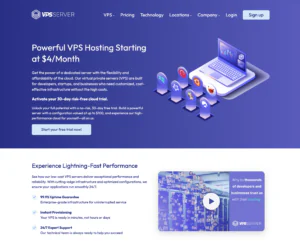
VPSServer.com specializes in VPS hosting, making it a strong choice for Firefox Hosting projects that require dedicated resources and consistent performance. Whether you are hosting Firefox Sync alternatives, browser automation tools, testing environments, or web applications optimized for Firefox, the platform provides full root access and scalable virtual servers. Users can deploy servers in multiple locations worldwide and upgrade resources as their workloads increase. The provider focuses on performance while giving customers the flexibility to configure their servers according to their own requirements.
Rating Based on Expert Review
Overall Score: 4.8
Features: 4.9
Reliability: 4.9
User-Friendly: 4.7
Support: 4.7
Pricing: 4.8
Detailed Analysis
Features: VPSServer.com offers NVMe SSD storage, dedicated CPU resources, full root access, IPv4 and IPv6 support, snapshots, API integration, and multiple Linux distributions. These features allow developers to build customized Firefox Hosting environments with few limitations.
Reliability: The infrastructure is built around enterprise hardware with redundant networking and monitored data centers. This helps deliver stable uptime and dependable server performance for long-running Firefox applications.
User-Friendly: The management portal makes deploying and monitoring VPS instances straightforward. Although users are expected to manage their own servers, the dashboard keeps important settings organized.
Support: Technical support is available around the clock through tickets and live chat. The knowledge base also provides setup guides for common server administration tasks.
Pricing: VPSServer.com offers competitive VPS pricing with plans ranging from small development servers to larger enterprise deployments, allowing customers to scale without changing providers.
Pros
Fast NVMe storage
Full root access
Global server locations
Flexible VPS scaling
Competitive pricing
Cons
Less beginner-focused than managed hosting providers
Some advanced features require server administration experience
VPSServer.com gives developers the flexibility to build Firefox Hosting environments with dedicated resources and room to grow. If you want full control over your VPS while maintaining good performance, it is a provider worth considering.
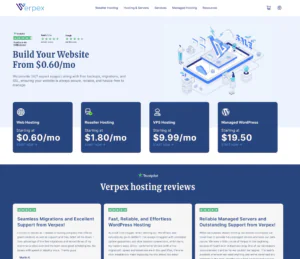
Verpex offers managed cloud hosting solutions that work well for Firefox Hosting, especially for users who want reliable performance without handling every aspect of server maintenance themselves. Its hosting platform is suitable for Firefox-based web applications, browser testing environments, and development projects. With multiple global server locations, free migrations, and modern hardware, Verpex makes it easy to launch projects while keeping management simple. The provider balances ease of use with the flexibility needed by developers and growing businesses.
Rating Based on Expert Review
Overall Score: 4.8
Features: 4.8
Reliability: 4.8
User-Friendly: 4.9
Support: 4.9
Pricing: 4.8
Detailed Analysis
Features: Verpex includes NVMe SSD storage, LiteSpeed web servers, free SSL certificates, automated backups, free website migrations, multiple data center locations, and scalable hosting plans. These features help maintain responsive Firefox Hosting environments.
Reliability: The provider delivers stable uptime through cloud infrastructure and monitored servers. Daily backups and security tools help reduce the impact of unexpected issues.
User-Friendly: The hosting dashboard and cPanel interface make server and website management straightforward. Most common administrative tasks can be completed without advanced technical knowledge.
Support: Customer support is available 24/7 through live chat and tickets. The support team also assists with migrations and technical questions during setup.
Pricing: Verpex offers competitive introductory pricing while including several features that other providers often charge for separately, giving customers good value for managed hosting.
Pros
Free website migration
NVMe storage
User-friendly control panel
Multiple server locations
Helpful customer support
Cons
Higher renewal pricing
VPS customization is more limited than cloud-only providers
Verpex makes Firefox Hosting simple by combining managed services with fast infrastructure. If you want dependable hosting that requires less server administration, Verpex is a solid option to consider.
Ultahost provides managed VPS and cloud hosting that fits a wide range of Firefox Hosting projects. Whether you are deploying Firefox-compatible web applications, development environments, browser testing platforms, or synchronization services, Ultahost offers dedicated resources with managed maintenance. The provider includes modern hardware, security features, and flexible upgrade options, allowing users to focus on their applications instead of spending time managing infrastructure. Its combination of performance and managed support makes it suitable for both businesses and developers.
Rating Based on Expert Review
Overall Score: 4.9
Features: 4.9
Reliability: 4.9
User-Friendly: 4.9
Support: 4.9
Pricing: 4.8
Detailed Analysis
Features: Ultahost includes NVMe SSD storage, full root access, free SSL certificates, automated backups, DDoS protection, dedicated resources, multiple operating systems, and scalable VPS plans. These features provide flexibility for hosting Firefox-related services.
Reliability: The hosting platform delivers stable uptime through cloud infrastructure, redundant hardware, and proactive monitoring. Automatic backups add another layer of protection for hosted applications.
User-Friendly: The management dashboard is easy to navigate, while managed services reduce the amount of server administration required. Users can deploy and upgrade servers without unnecessary complexity.
Support: Ultahost provides 24/7 technical support through live chat and tickets. The support team also assists with migrations, server setup, and troubleshooting.
Pricing: Plans are competitively priced considering the included managed services, security features, and dedicated resources available across the VPS lineup.
Pros
Managed VPS hosting
NVMe SSD storage
Full root access
Daily backups and security features
Responsive customer support
Cons
Entry-level plans offer limited resources for large workloads
Some advanced features are available only on higher-tier plans
Ultahost offers an easy way to launch Firefox Hosting while still providing the flexibility of a VPS. With managed services, dedicated resources, and room to scale, it is a strong choice for developers and businesses looking for reliable Firefox Hosting.
At HostAdvice, we combine hands-on testing, industry research, and user feedback to evaluate hosting providers across different categories. Our recommendations are based on factors that matter most, including performance, reliability, ease of use, customer support, pricing, and overall value. We regularly review providers to ensure our rankings remain accurate and relevant, helping readers choose hosting solutions that match their technical requirements and budget.
How Do We Test and Rank
Our team evaluates hosting providers using a consistent review process that focuses on real-world performance rather than marketing claims. We examine server features, pricing, uptime, scalability, customer support, ease of management, and security. Whenever possible, we test hosting services using real accounts to measure speed, stability, and usability. We also compare provider promises against actual performance and consider verified customer feedback as part of our evaluation. This balanced approach allows us to rank providers based on measurable results and overall value.
Best Firefox Hosting: Final Recommendations
Choosing the right Firefox Hosting depends on the type of project you plan to run. Some users need complete server control for browser automation and testing, while others simply want a reliable platform for Firefox-compatible applications. The best providers combine dependable uptime, flexible server resources, responsive support, and pricing that fits different budgets. Before making a decision, compare the available features, expected performance, scalability, and management options to find a hosting solution that supports both your current requirements and future growth.
Firefox Hosting is commonly used to host Firefox browser automation tools, Selenium testing environments, web applications, development projects, and self-hosted Firefox-related services.
Do I need a VPS for Firefox Hosting?
Not always. However, a VPS or cloud server is usually the best option because it provides the control and resources needed to install Firefox and related software.
Can I install Firefox on a Linux VPS?
Yes. Most Linux VPS providers allow you to install Firefox and any supporting software as long as you have root access to the server.
Is Firefox Hosting only for developers?
No. While developers commonly use it for testing and automation, businesses and organizations also use Firefox Hosting to run browser-based applications and custom services.
What features should I look for in a Firefox Hosting provider?
Look for high uptime, fast SSD or NVMe storage, sufficient CPU and RAM, full root access, operating system compatibility, scalable resources, automatic backups, and reliable 24/7 customer support.
Click to go to the top of the page
HostAdvice.com provides professional web hosting reviews fully independent of any other entity. Our reviews are unbiased, honest, and apply the same evaluation standards to all those reviewed.While monetary compensation is received from a few of the companies listed on this site, compensation of services and products have no influence on the direction or conclusions of our reviews. Nor does the compensation influence our rankings for certain host companies.This compensation covers account purchasing costs, testing costs and royalties paid to reviewers.



 4.8
4.8